





Hybrid work has made one thing non-negotiable: your digital workplace has to be reachable any time, from any authorized device.
To be productive and engaged, your teams, especially your employees on professional mobility and your field employees , need to be able to connect seamlessly and securely to their digital workspace.
This online platform centralizes their business tools , their internal communication methods , and the information they need to work effectively and feel a sense of belonging to your company.
In short, this Modern Workplace is an essential lever for performance and improving the employee experience. Therefore, it makes sense to make it available to all your staff, especially those who don't have a computer or a work email address.
The challenge: to find a complete and intuitive mobile intranet application that facilitates user adoption of your ENT and truly strengthens employee engagement.
In this article, Jint helps you choose the right mobile internal communication platform for your business . You'll discover the 9 best mobile apps for the digital workplace, what each is best for, and how they fit a Microsoft 365 stack.
Enjoy your reading!
Why have mobile applications become central to the Digital Workplace?
A Digital Workplace that is only available on a desktop computer is no longer suited to the requirements of a modern business.
The Digital Workplace mobile app: a response to hybrid work, mobility, and new ways of working.
The widespread adoption of remote work in recent years has transformed how colleagues collaborate and communicate. To be productive, remote employees need easy and secure access to their software, work documents, and communication channels. Implementing a mobile application for a Digital Workplace addresses these requirements.
But this type of mobile solution for employees is especially essential for those who travel frequently ( salespeople or executives, for example). To stay connected to their company and work effectively, they need to be able to access their collaborative intranet from a mobile phone or tablet.
Finally, it's worth noting that smartphones play a central role in employees' digital habits . In their personal lives, many have become accustomed to using them not only for communication, but also for information, shopping, and administrative tasks. This makes them an excellent entry point for facilitating user adoption of your Digital Workplace.
The Digital Workplace mobile app: a cornerstone of the employee experience
Aligned with employee habits, the Digital Workplace, in the form of a mobile smartphone application, offers them an improved employee experience . They can access it without having to sit at their desk or open their laptop. They simply click on a notification or an icon to view the information they need, reply to a work email, or consult a work document.
The mobile Digital Workplace: essential for reaching and integrating Frontline Workers
Frontline workers are among those who benefit most from the deployment of mobile collaboration tools. Whether they are retail employees, production line workers, or mobile maintenance technicians, they do not have a desktop computer, which limits their access to internal information.
For these employees to be effective, feel valued, and be involved in the life of the company, they must be able to communicate with their colleagues and stay informed about internal news easily. Centralizing tools , information, and work documents on a mobile application makes this possible.
How to choose the right mobile application for your company's digital workplace?
Choosing the best mobile Digital Workplace for your business depends not only on the intrinsic characteristics of the solution, but also on the needs and objectives of your organization.
An application geared towards communication or project management
Some mobile intranet solutions, such as Blink, are geared towards internal communication. They feature an internal information portal and communication channels such as communities or a news feed reminiscent of those on popular social networks.
Other applications, such as Trello, make project management even easier. They prioritize communication channels and structured dashboards , allowing teams to collaborate effectively , whether in person or remotely.
If your goal is to break down silos to boost employee engagement and strengthen your company culture, then the first option is the better choice. Conversely, if your aim is to foster teamwork and productivity , the second solution should be your preferred option.
However, a third option is available to you: a Digital Workplace that combines project management, productivity and internal communication, such as Jint Teams.
The importance of customization and integration of the Digital Workplace application
A good Digital Workplace mobile application is a solution that adapts to your needs, harmonizes with your visual identity , and integrates perfectly with your existing work tools and communication channels (Microsoft Teams for example).
If you operate within the Microsoft 365 environment, you would greatly benefit from deploying a solution integrated into this ecosystem, such as Jint Teams or Jint Mobile App. The advantages include: security , cost control , enhanced employer branding , and above all, a seamless digital experience.
A Digital Workplace application that facilitates user adoption and offers an intuitive mobile experience
Employee adoption of your mobile Digital Workplace is key to making your investment profitable . However, for your employees to download your intranet application and get the most out of it, it must offer them a pleasant and useful browsing experience .
Here again, opt for a mobile solution that guarantees smooth traffic flow and highlights applications and information (events, LinkedIn posts, HR news, etc.) tailored to each type of internal population (Frontline Workers, new recruits, etc.).
With their customizable dashboards , Jint Teams and Jint Mobile App naturally meet these specifications 100%. These solutions integrate seamlessly into the work environment employees are accustomed to, ensuring an optimal user experience and easy adoption.
The 9 mobile apps at a glance
Microsoft Teams: The #1 Mobile App for the Digital Workplace
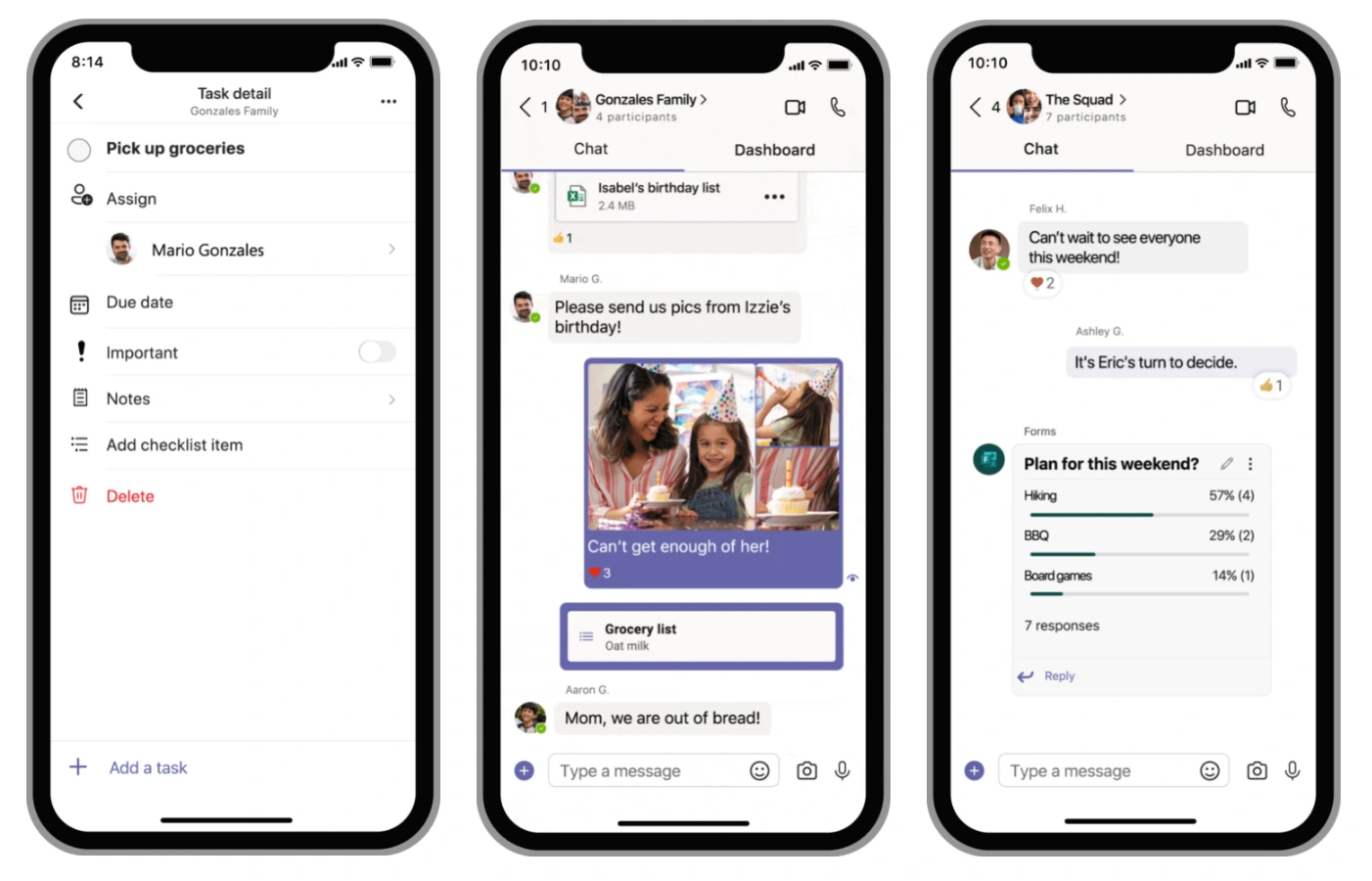
Microsoft Teams is a well-known internal communication application for employees working in the Microsoft 365 environment. This solution , integrated with other tools in the Microsoft suite (Excel, PowerPoint, Outlook, Whiteboard, etc.), is offered in desktop and mobile versions.
By connecting to their Teams mobile application via their phone or tablet, employees access a workspace that centralizes different means of communication : video conferences, voice calls, instant messaging and team discussion channels.
This portal allows users to share files securely and seamlessly, as well as collaborate on documents. They can also connect to their calendar and organize events or meetings with a single click, directly from their mobile device.
To keep track of their discussions and projects, employees can structure their interactions into teams and Teams channels . Data protection is ensured through access control for different workgroups.
Integrating AI into Microsoft Teams takes this mobile communication app to the next level: users can automatically generate meeting notes and rely on AI suggestions to easily respond to messages sent by their colleagues.
With all these advantages, the Teams mobile app represents an excellent foundation for building your mobile Digital Workplace. Its weakness? It has aesthetic and functional limitations that can slow its adoption by your employees. That's why Jint designed Jint Teams and Web: the enhanced Digital Workplace within Microsoft Teams.
Jint Teams, the enhanced Digital Workplace in Microsoft Teams
.webp)
Jint Teams and Web is an extension for Microsoft Teams that transforms the Teams mobile app into a true Microsoft Digital Workplace. With Jint Teams, employees benefit from an optimized and personalized digital experience without leaving their familiar work environment.
Jint Teams & Web allows you to offer your employees a customized information, communication, collaboration, and productivity portal that is fully responsive on mobile devices. Whether at headquarters or in the field, your teams have access to a personalized , user-friendly interface that aligns with your brand identity.
With Jint, all your employees can effortlessly access internal information and resources , as well as their usual work tools . Jint modules integrate seamlessly with Teams channels to add useful features and content: SharePoint news, company directory, and more.
To accelerate the adoption of your Digital Workplace Teams and, above all, to make it a true driver of employee retention and productivity , Jint allows you to create dashboards tailored to different employee profiles, such as new recruits. This enables them to easily find the content, events, applications, or HR procedures they need without being overwhelmed with information.
Each employee and each team can also customize their dashboard to their specific needs and expectations. The result is a tailored employee experience , seamless collaboration , and greater adoption of your Teams intranet. In short, with Jint, the leading mobile intranet app transforms into an enhanced Digital Workplace.
Slack mobile: the instant, intelligent, flexible and open collaborative messaging
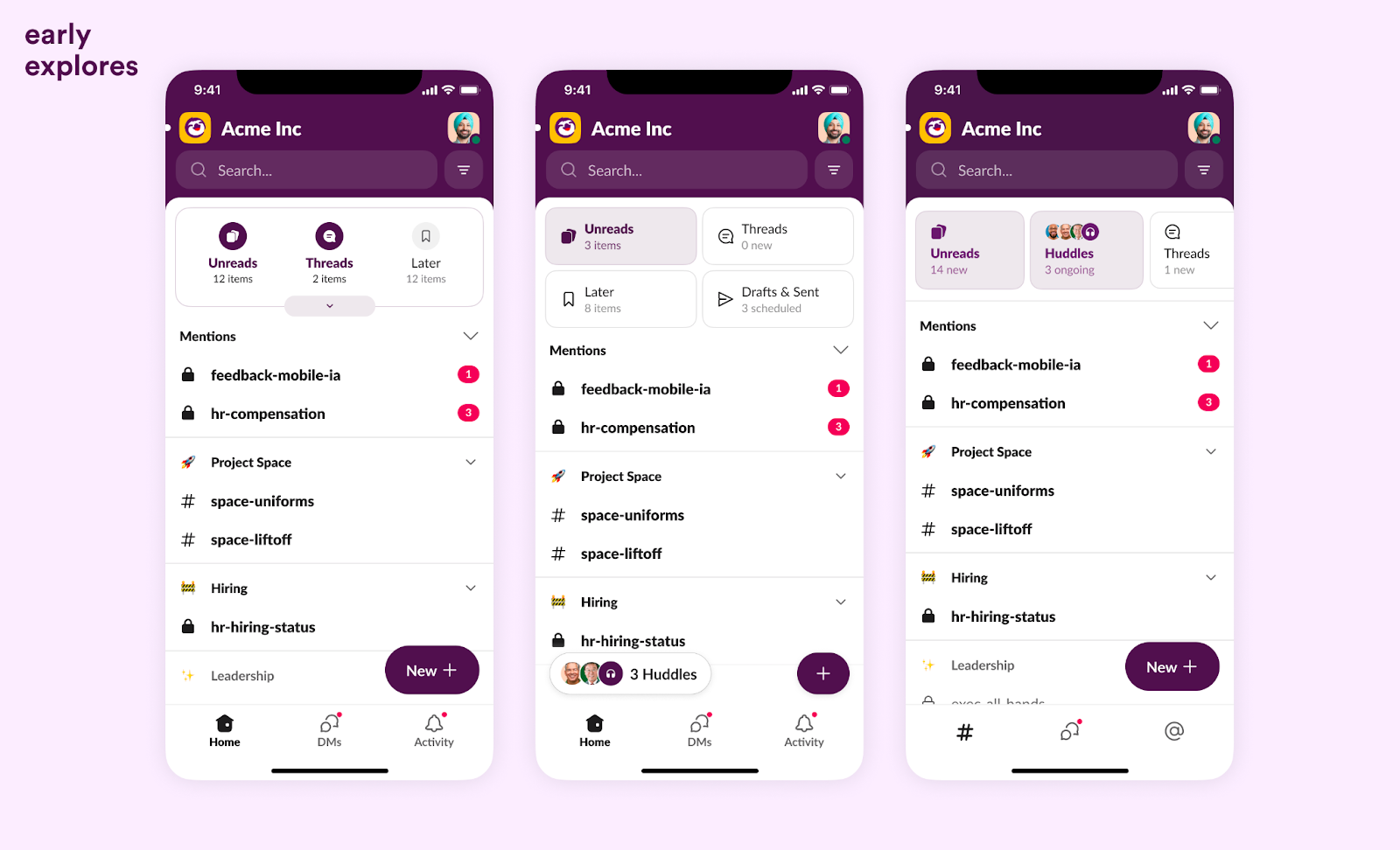
Slack mobile is an instant messaging and collaboration application that centralizes and organizes your employees' conversations . They can use the platform to exchange messages live via text or video conferencing, notably through team calls.
This solution, also available on desktop, allows users to send documents to each other and respond to requests from colleagues with emoticons. Structuring interactions into different channels and teams simplifies and clarifies internal communication.
Thanks to its integration with 2,600 applications, Slack allows users to edit documents within conversations. The search bar also makes it easy to find files and discussions, while notifications alert them as soon as they receive a message or are tagged in a conversation.
Slack includes AI features to boost user productivity and improve their digital experience. Users can use Slackbot to generate a summary, synthesize a conversation, automate a workflow, or get a contextual response based on resources shared on Slack.
In summary, Slack is a flexible and open collaborative platform . It emphasizes real-time interactions and artificial intelligence features . It is suitable for agile organizations that want to offer a simple yet customizable communication channel to their employees.
Google Workspace: Document-Oriented Mobile Collaboration
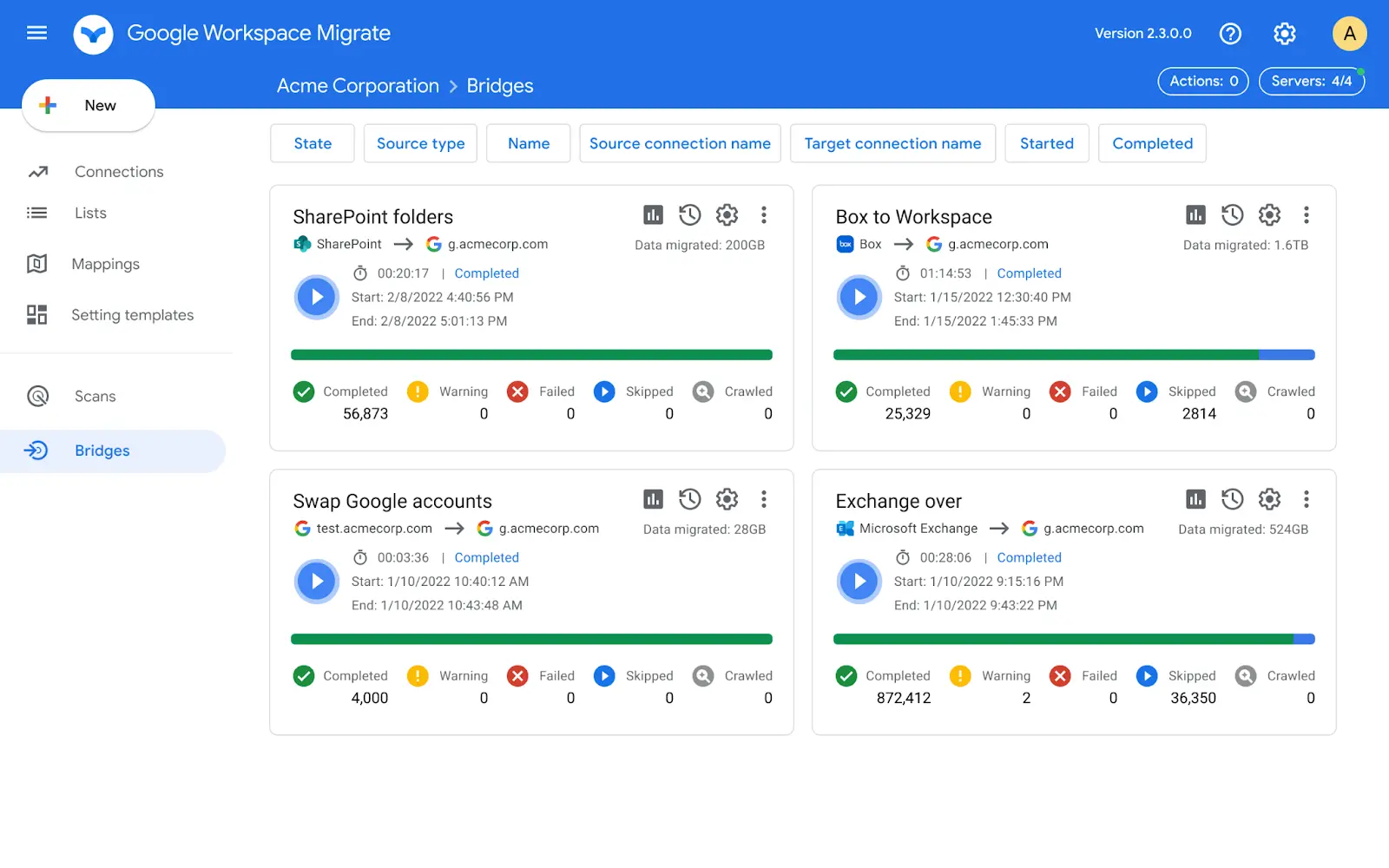
Google Workspace mobile is a suite of applications for mobile phones and tablets. These applications are integrated and offer the same features as their desktop versions.
Despite the lack of a single portal , this solution offers a seamless and secure user experience . Employees can easily switch between different software applications without friction, all within an environment that is often familiar to them .
In practical terms, Google Workspace on mobile is:
- Email (Gmail), video conferencing (Google Meet) and instant messaging (Google Chat) communication applications in which employees can discuss and exchange documents effortlessly;
- An application dedicated to file storage (Google Drive), to which users can connect to create, modify or comment on documents (texts, spreadsheets, etc.), alone or in teams, in real time or offline ;
- A scheduling application (Google Calendar), in which employees can find their upcoming events, schedule meetings or tasks, or even join a Google Meet appointment, with one click, directly from their mobile;
- An integrated AI (Gemini), which improves employee productivity by helping them write emails and reports, produce videos, edit presentations, and organize data.
Ultimately, Google Workspace for smartphones and tablets is an ecosystem that promotes collaborative work , particularly through simultaneous co-editing of documents, and real-time or asynchronous communication with colleagues, partners, and clients.
This intuitive and secure solution is suitable for companies that want to offer a very easy-to-use work environment to their users, especially their mobile workers who need to remain productive while traveling , including when the internet connection is unreliable.
ClickUp: Smart project management on mobile
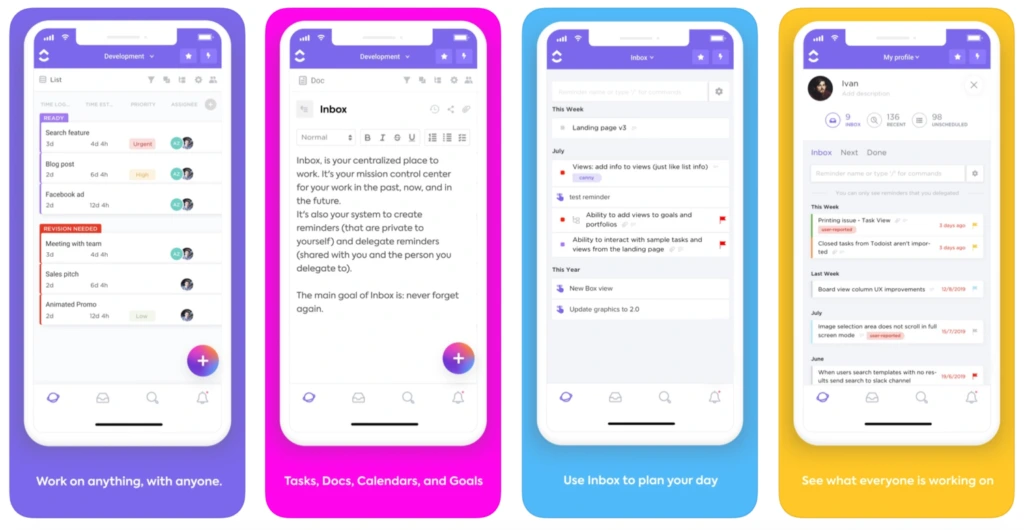
ClickUp is an all-in-one task and project management application . This software is available in a desktop version and a mobile version.
ClickUp mobile operates from a customizable home page from which users can access various collaborative and productivity digital tools , including:
- The inbox where employees can find messages from their colleagues;
- The task manager to organize and track the progress of tasks that the user or team members must complete;
- The chat allows for instant communication, but also enables the creation and management of tasks without leaving the discussion, all with the help of AI;
- Video and audio calls with AI-powered report generation and task assignment;
- The search bar which can be used to find tasks or to-do lists on the platform;
- The AI assistant Brain allows users to create content, automate task management, and obtain contextualized answers based on resources shared on the platform.
Although not all of ClickUp's features are available in the mobile version , this application is a good option for building a collaborative platform. It stands out for its advanced automations , integrated AI agents , and flexible architecture.
Trello mobile: a visual and intuitive project management app
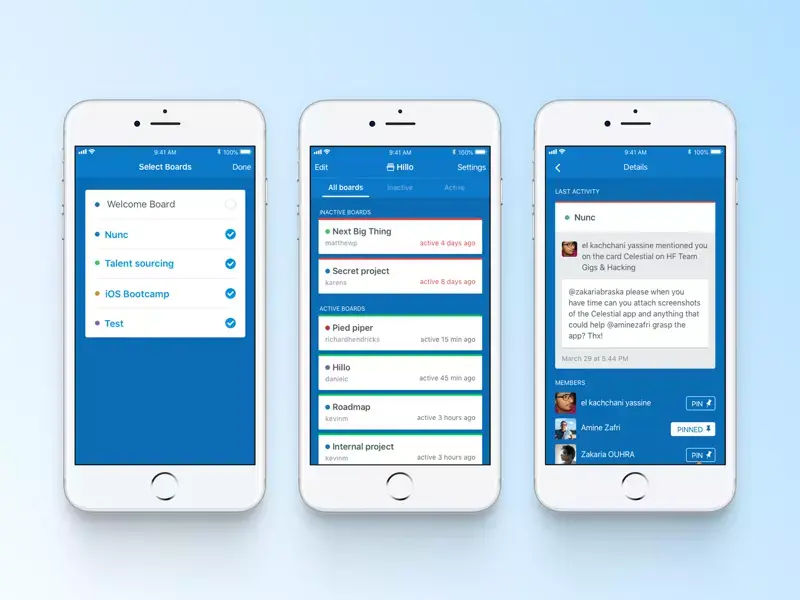
Trello Mobile is a project management application that stands out for its ease of use. This solution, also available in a desktop version and accessible offline , allows you to easily create Kanban-style boards to track the progress of a project.
Employees can set up a new board directly from their smartphone or tablet, place lists ( for each stage of the project) and cards (for each task), and share it with their team members.
Color-coded labels , checklists , and progress bars can be added to make everything more visual . Users also have the option to display their boards in different formats: timeline, calendar, dashboard.
Tools like Salesforce, Zendesk, or Dropbox can be integrated with Trello. Automations can also be set up to help project team members increase their productivity.
With Trello Inbox , employees can extract tasks from their communication channels (emails, Slack, Teams, etc.), automatically transform them into Trello cards, and then organize them into their boards or calendar.
Ultimately, Trello Mobile is a visual and intuitive project management tool . It is suitable for organizations wishing to streamline collaborative work and productivity by adopting a solution that is quick to learn .
Jint Mobile App: Information at your fingertips for field teams
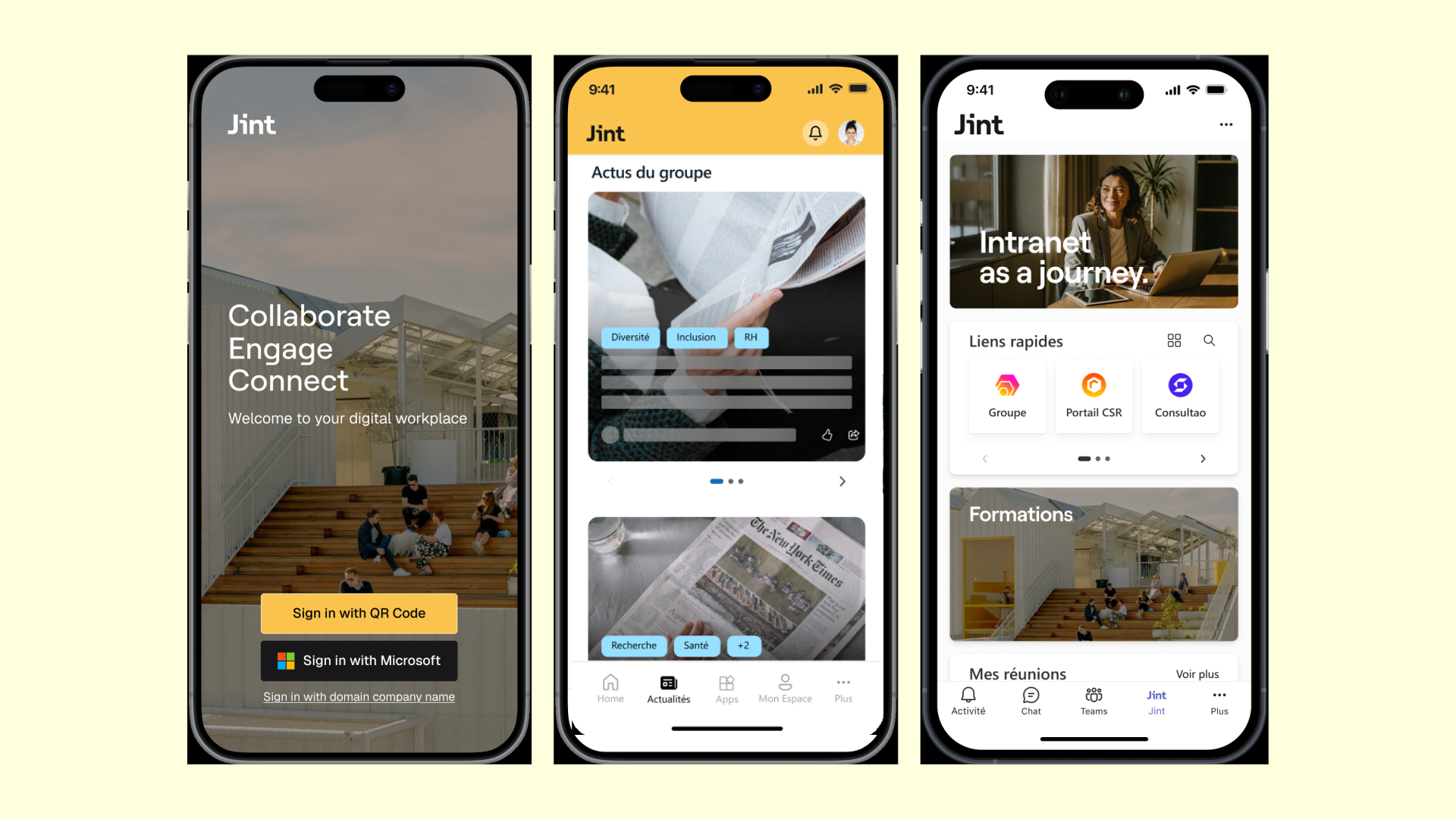
Jint Mobile App is a Digital Workplace designed for Frontline Workers, but not exclusively. Simple to deploy and customizable , it allows you to bring your employees together , whether they are in offices, points of sale, workshops or even on the go.
This collaborative mobile intranet offers a pleasant digital experience for all your teams. Their work applications (M365 Suite, Salesforce, Workday, etc.) as well as internal information are readily available, accessible from a responsive and intuitive interface.
Jint Mobile is integrated with your Microsoft 365 environment. Employees therefore move seamlessly within a familiar ecosystem. Those without an M365 license are not left behind. Thanks to the Jint Mobile app, they can access key content from your intranet (documents, news, HR content, etc.), updated in real time.
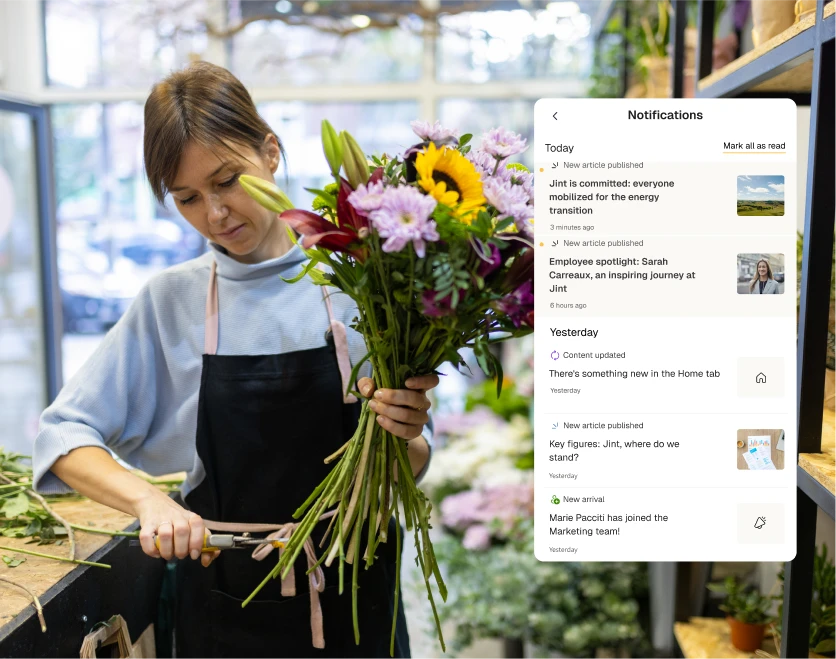
Jint Mobile, a 100% white-label solution, allows you to customize your Digital Workplace with your logo, colors, and visual identity. This is the perfect way to promote your company culture and boost employee engagement.
Beyond design, Jint Mobile allows you to configure your platform to suit the needs of your organization and employees. Simply choose the modules (events, career, social networks, etc.), content, and access policies that are right for you.
Jint Mobile is the ideal Digital Workplace for companies with a Microsoft 365 LMS that want to boost engagement among their field teams. Its deployment and setup are incredibly easy, its integrations are numerous , and its interface is customizable . It is undeniably one of the best Digital Workplace applications for mobile devices.
Real-world reach: organizations like the City of Westmount and Armonia run a Microsoft 365 intranet enriched by Jint to reach office and field teams on mobile.
Staffbase: the personalized and intelligent employee experience app for all employees
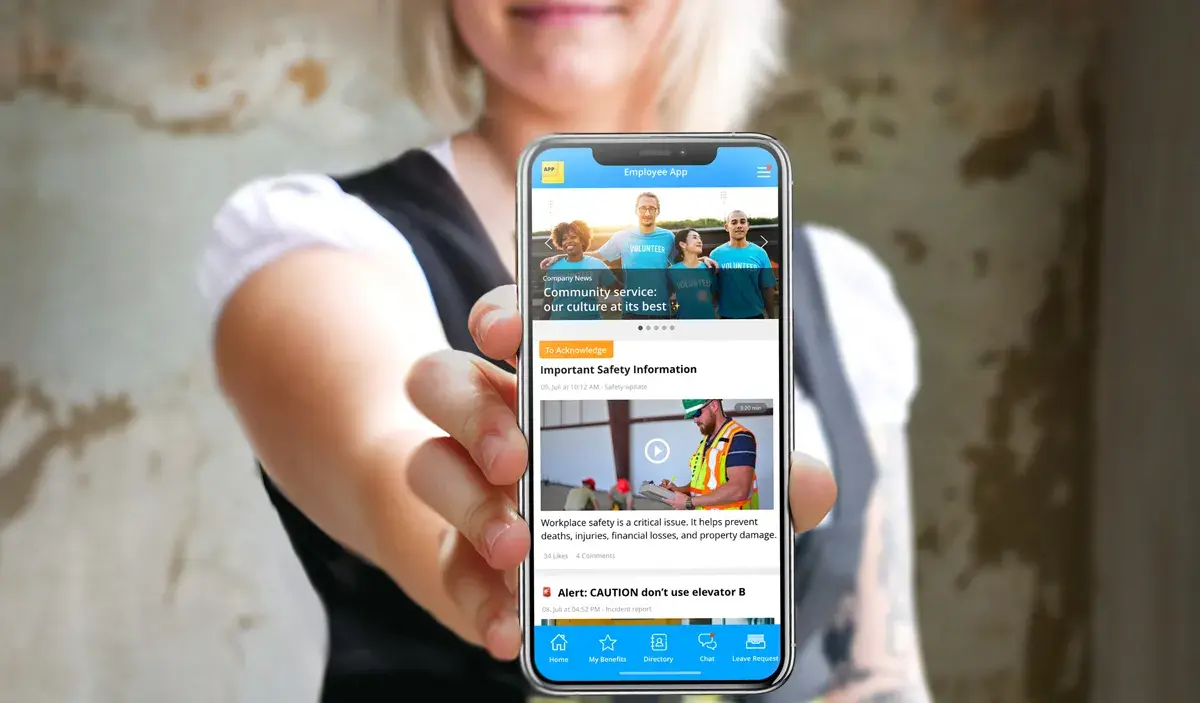
The Staffbase employee experience platform is available as a mobile application. This solution allows all employees, including field workers, to effortlessly access the information, tools, and communication channels (chat, communities, directory, etc.) they need on a daily basis.
Staffbase Employee App is a mobile HR and task management application tailored to individual needs. Employees can access their to-do lists, leave requests, and payslips. The best part? The interface is personalized based on the user's role and location, preventing information overload.
The Staffbase mobile app can also be customized to reflect brand image and organizational values. The mobile shortcut and interface display the company name, logo, and color scheme. Integration of employees' preferred software is also possible (Microsoft 365, ServiceNow, Google Drive, etc.).
To improve employee productivity and digital experience, Staffbase includes AI features such as automatic content translation, intelligent natural language search via a chatbot, content creation assistance, document management assistance, and AI-generated personalized podcasts.
In short, the Mobile Staffbase app is a customizable solution designed for organizations that want to strengthen internal communication and employee engagement. Accessible without a work email address and offline, this tool is particularly well-suited to the needs of frontline workers.
Blink: the employee engagement app for frontline workers
.webp)
Blink The Frontline App is a Digital Workplace application that, as its name suggests, was designed to meet the needs of frontline workers. However, it is suitable for all employees.
This interface aims to improve internal communication in order to unite employees, strengthen employee engagement , and boost talent retention . With this in mind, the Blink mobile application is divided into three main sections:
- A Hub bringing together employee tools through numerous integrations (Gmail, SharePoint, Workday, etc.);
- A news feed reminiscent of those on social networks like Facebook, highlighting stories , live streaming , and targeted posts based on the user's profile;
- An instant messaging service that also allows for audio and video calls, either one-on-one or in groups.
Blink App also allows HR departments to create communities that bring employees together around shared interests and break down silos. At the same time, an AI-powered editorial assistant helps users produce content and express themselves confidently.
Halfway between an enterprise social network and a digital workplace, Blink is resolutely focused on employee engagement. Everything is designed to facilitate communication, foster connections between employees, and promote organizational culture . This solution is therefore ideal for companies looking to strengthen their teams with an attractive and intuitive tool.
Conclusion: Microsoft Teams and Jint Teams, the foundation of a high-performing mobile digital workplace
- The market for mobile applications in the Digital Workplace is rich and diverse. To choose the solution best suited to your company and your employees, take stock of your strategic objectives (talent retention, productivity, etc.) and your expectations (ease of use, data security, etc.).
- For companies operating within the Microsoft 365 ecosystem , choosing a mobile Digital Workplace based on Microsoft Teams seems like a no-brainer. This option offers easier deployment and adoption ( since it's a familiar technological environment) and secure use .
- The Jint Teams extension pushes the functional and aesthetic boundaries of the Teams application to make it even more intuitive , user-friendly , and efficient . It allows for easy customization of the mobile Digital Workplace to adapt it to employee needs and reflect the employer brand.
And as Copilot and AI assistants spread, the mobile app is only as useful as the structured intranet behind it: a clean, governed digital workplace is what lets AI answer accurately on a phone.

.jpg)

.webp)

.jpeg)


