






In a nutshell:
- A digital workplace is a unified digital environment that brings together internal communication, collaboration tools, business applications, and company knowledge in a single access point.
- It is the natural evolution of the intranet: from a static, top-down portal to a complete work environment, accessible anywhere, on any device.
- Its three biggest benefits: better internal communication, smoother collaboration, and knowledge that stays findable, for every employee, including frontline teams.
- In 2026, generative AI raises the stakes: assistants, agents, and intelligent search all depend on the digital workplace to function. No structured information layer, no reliable AI.
- Building one follows a clear sequence: define your needs, appoint an owner, train your teams, grow a digital culture, and track the right KPIs.
- For organizations running on Microsoft 365 (SharePoint, Teams, Viva), the fastest path is to enrich what you already own with a native solution like Jint, rather than stacking yet another tool.
A digital workplace is a digital work environment that centralizes the information, collaboration tools, and business applications every employee needs day to day. In practice: one entry point, available from a computer, tablet, or smartphone, to communicate, collaborate, and find the right information without hunting for it.
Why should you care? One number says it all. According to a McKinsey study that remains the reference on the topic, employees spend an average of 1.8 hours a day searching for and gathering information. Nearly a full working day, every week, swallowed by searching. The digital workplace exists to claw that time back.
In this guide, the Jinters walk you through what a digital workplace is, how it differs from a classic intranet, how AI is reshaping it in 2026, what it costs, and how to build one. Let's go.
What is a digital workplace? Definition
A digital workplace is a unified digital ecosystem that brings together all the technologies, content, and services employees need to do their work: internal communication, collaboration tools, document management, business applications, and a knowledge base.
The term emerged in the late 2000s. Paul Miller, founder of the Digital Workplace Group, popularized it in 2009 to describe an organization's complete ecosystem of work technologies. Gartner now defines it as a strategy that boosts employee agility and engagement through a consumerized work environment: tools as fluid as the apps people use in their personal lives.
Three functions define it:
- Centralize information: every company update, document, and piece of knowledge is reachable from a single point, with a search engine that actually finds things.
- Connect people: messaging, video calls, internal networks, a people directory, and a dynamic org chart link teams wherever they work.
- Integrate business tools: everyday applications (HR, projects, tickets, expenses) open and run without switching environments.
The strength of the concept lies in its approach: a digital workplace does not replace your tools, it unifies them. And it serves every employee, from headquarters to the frontline teams who have neither a desk nor a fixed computer.
From intranet to digital workplace: a logical evolution
Remember the first corporate portals, also known as intranets? Static pages, fed by Comms and HR, read (sometimes) by employees. The first intranet software, Intranet Genie by Frontier Technologies, shipped in 1996. Back then, the promise fit in one line: push information downward.
Thirty years later, work itself has changed. Remote work, hybrid teams, frontline workers, an explosion of SaaS apps: the static portal no longer cuts it. The intranet progressively absorbed enterprise social networks, instant messaging like Teams, then personalization and AI. Step by step, it grew into what we now call the digital workplace.
The nuance matters: the intranet did not disappear, it became one building block of the digital workplace. It is the editorial and cultural front door of the digital work environment. Want to dig into that transition? See how to transform your intranet into a digital workplace.
Intranet vs digital workplace: the differences
- Purpose: the intranet broadcasts information; the digital workplace is where people work, communicate, and collaborate.
- Direction of communication: top-down for the intranet; top-down, bottom-up, and across teams for the digital workplace.
- Content: news and documents on one side; news, documents, tools, business apps, and knowledge on the other.
- Access: the office workstation for the legacy intranet; web, mobile, and Teams for the digital workplace.
- Audience: desk-based employees at headquarters; 100% of the workforce, frontline included.
- Personalization: minimal for the intranet; extensive for the digital workplace, with a personal dashboard and audience targeting.
- AI: absent from the classic intranet; intelligent search, assistants, and agents in the digital workplace.
.webp)
What's inside a digital workplace?
The exact scope varies by organization, but the foundation stays the same:
- A modern intranet for internal communication and company culture;
- Cloud storage and electronic document management with versioning;
- Messaging and video conferencing (Teams in the Microsoft ecosystem);
- Project management tools and shared calendars;
- An enriched people directory with a dynamic org chart, to find the right expert in two clicks;
- A unified search engine that queries every content source;
- A [personal dashboard](https://www.jint.co/digital-workplace/digital-workplace-for-personal-dashboard) that gathers each person's tasks, targeted news, and applications;
- AI assistants to write, summarize, translate, and retrieve internal knowledge.
Need the full landscape of tools? Browse our pick of the top tools to digitalize your business.
Benefits of a digital workplace
The gains go far beyond convenience. Here are the three that carry the most weight in a business case, numbers included.
1- Improve internal communication
How many internal messages end up archived in an inbox, never read? The cost is real: weaker buy-in, disengagement, turnover. And the global picture is not helping. According to Gallup (State of the Global Workplace, 2026), only 20% of employees worldwide are engaged at work, a gap worth an estimated $10 trillion in lost productivity.
The digital workplace flips the logic: the right information reaches the right person at the right time, through targeting by profile, site, or role. Employees also pick the topics they follow. The result: content engagement climbs, and teams finally feel addressed. Well-informed employees become your first ambassadors.
💡 To go further, learn *how to build an effective communication intranet in 6 steps*.
2- Smooth collaboration and employee experience
The modern workday is fragmented: according to Microsoft's Work Trend Index 2025, employees are interrupted on average every two minutes by a meeting, an email, or a notification. Piling up disconnected tools makes it worse.
The digital workplace fixes this by bringing document sharing, calendars, video calls, messaging, and knowledge management into one coherent environment, including for teams that mix remote and on-site work. Cross-team help becomes natural: the directory and dynamic org chart let anyone identify an internal expert on any subject and reach them instantly. McKinsey has long estimated that well-deployed collaborative technologies raise productivity by 20 to 25%.
3- Make knowledge findable
Back to the McKinsey number: 1.8 hours a day lost to searching. The digital workplace attacks that waste through four levers:
- Centralize documents in the cloud, with a single source of truth;
- Version content so people can work together without overwriting each other;
- Empower employees to contribute to the knowledge base instead of just consuming it;
- Retrieve procedures and product sheets in two clicks through advanced search.
Strategic bonus: when an expert leaves, their knowledge stays. That is the foundation of real knowledge management in the digital workplace, and, as we are about to see, the precondition for AI to deliver.
.webp)
AI in the digital workplace: what actually changes in 2026
Generative AI has moved from gadget to infrastructure. Copilot now lives inside Word, Outlook, and Teams. AI agents run entire tasks: preparing an onboarding, answering HR questions, assembling a report. In 2026 the question is no longer "should our digital workplace have AI?" but "is ours ready for it?".
Our conviction, built on eight years of Microsoft 365 expertise: an AI agent is only as good as the information it can reach. Scattered, outdated, or ungoverned data? The agent hallucinates, serves obsolete procedures, or finds nothing. A structured, governed, up-to-date intranet is not a competitor to AI: it is its foundation.
Concretely, AI done right in the digital workplace lets you:
- Speed up content creation: assisted writing of news, newsletters, and internal materials, in your company's voice;
- Summarize and translate: meeting recaps condensed, content instantly translated for international teams;
- Answer internal questions: an assistant grounded in your company's knowledge base, citing its sources;
- Personalize communication: tailor the message to each employee segment without multiplying the workload of Comms teams.
That is exactly what Jint Genius does: build and deploy AI assistants that draw on the structured knowledge of your intranet, inside your Microsoft 365 environment. The order of operations matters: put your house in order first, then deploy the agents.
One more thing worth saying out loud: AI does not fix a messy digital workplace, it amplifies it. If your intranet is full of duplicate pages and procedures last updated three years ago, an AI assistant will serve those errors faster and with more confidence than any human ever did. Which is why the teams getting real value from AI in 2026 all started the same way: cleaning up content ownership, archiving what is dead, and assigning a clear owner to every knowledge area. Unglamorous work. Massive payoff.
What does a successful digital workplace look like? Three real examples
Theory is nice. Here are three real deployments, picked from our 300+ customers.
Nhood : a multilingual digital workplace across 11 countries. The real estate operator built a platform with Jint that connects 1,300 employees in 11 countries. Multilingualism is handled natively, and the platform became a daily tool, not a showcase people visit once.
City of Westmount : a public-sector intranet employees actually use. The Canadian municipality transformed its internal communications with a modern, friendly intranet that simplifies access to information and engages employees from day one.
Bouygues Group : enterprise scale, startup speed. One of Europe's largest groups launched two communication intranets in four months with Jint, serving an organization of 200,000 employees.
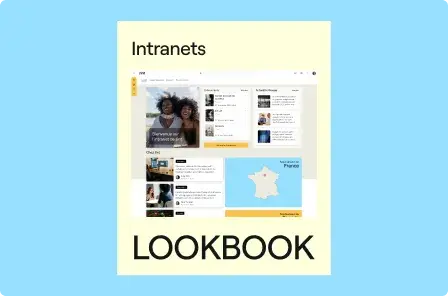
Want more? Browse our customer stories or download the lookbook of the most beautiful SharePoint intranets.
How to build a digital workplace: the 5 steps
1. Identify your real needs
A successful digital workplace answers concrete needs, not a trend. Better information flow? A stronger sense of belonging? Equipping frontline teams? This framing phase conditions everything else. To structure it, start from our digital workplace specification template: the best way to formalize goals, scope, and selection criteria.
2. Appoint an owner
No project without a pilot. Comms lead, IT lead, HR lead: the title matters less than having one owner who orchestrates tool rollout, employee training, and change management. They keep the course after launch, when the project excitement fades.
3. Train and onboard your people
Switching tools overnight without preparing your teams? Counterproductive. Explain the why before the how: why these changes, what each person gains. Build a user guide, run short sessions, recruit champions in every team. The better prepared people are, the faster they adopt.
💡 To go further, explore *the stakes and methods of change management*
4. Grow a lasting digital culture
Technology does not create usage, culture does. Make digital genuinely advantageous day to day: highlight contributions, show the time saved, celebrate wins. Adoption of a digital culture is built on proof, not pressure.
5. Measure performance from day one
Define your indicators before launch, not after. Adoption rate, active users, content engagement, time to find information: pick the metrics that map to your initial goals. Our guide to digital workplace KPIs details what to measure and how. Results disappointing? Adjust. A digital workplace is run on continuous improvement.
Want the full rollout sequence? Follow our 5 steps to set up your digital workplace.
How much does a digital workplace cost?
Let's talk budget, since almost nobody does. Three items structure the cost:
- Licenses: for a SaaS solution that enriches Microsoft 365, expect a per-user, per-month price, decreasing with company size. The advantage of this model: your existing Microsoft 365 licenses remain the foundation, you never pay twice for infrastructure.
- Deployment: framing, design, content migration, integrations. With a ready-to-use solution like Jint, a fully customized workspace ships in a few weeks, where custom development takes months.
- Adoption: training, communication, change management. The most underestimated line, and the most profitable one.
The real question is not the cost, it is the return. Search time cut down, communication that lands, faster onboarding, knowledge that stops evaporating: we wrote a full guide to the ROI of a digital workplace to build your business case. Running a smaller company? Orders of magnitude and fitting solutions are covered in our guide to the digital workplace for SMEs.
A practical tip for your business case: anchor it in the time-search number. Take the McKinsey 1.8 hours a day, cut it conservatively in half, multiply by your average hourly cost and headcount. Even with cautious assumptions, the result usually dwarfs the license line. That is the argument finance teams respond to.
Microsoft 365 as the foundation of your digital workplace
Already running Microsoft 365? Then your digital workplace is three-quarters paid for. Teams for conversations, SharePoint to build internal sites and manage documents, Viva for employee experience, OneDrive for files: the foundation is there.
What remains is the quarter that makes the difference: the experience. Out of the box, SharePoint imposes its templates, personalization requires custom development, and the whole thing lacks the fluidity to become a daily reflex.
Should you leave Microsoft to build your digital workplace?
Bad idea, and here is why. Leaving Microsoft means:
- Paying twice: features overlap between your Microsoft suite and the third-party tool;
- Weakening security: your data lives in two environments, under two governance models;
- Blurring the IT roadmap: adding a disconnected platform runs against application rationalization;
- Drowning your users: one more tool means one less adoption.
The path we stand for: enrich Microsoft 365, don't compete with it
Jint is a native Microsoft 365 Add-in, an official Microsoft partner, available on AppSource and Azure Marketplace. More than 60 ready-to-use features multiply what SharePoint and Teams can do: design, targeting, personal dashboard, mobile, AI. Your data never leaves your Microsoft 365 tenant, so security and compliance teams keep a single governance model.
An intranet on the environment your teams already master, no data leaving home, no duplicate tool. We put Microsoft 365 at the service of your digital experience. Not the other way around.
Key takeaways
- A digital workplace centralizes communication, collaboration, knowledge, and business applications in one access point, for 100% of employees.
- It differs from the intranet, which is now one of its building blocks: the editorial front door of the work environment.
- The gains are measurable: up to 20 to 25% productivity according to McKinsey, and a direct answer to the 1.8 hours a day lost searching for information.
- In 2026, the digital workplace is the foundation AI agents stand on: without structured, governed knowledge, no reliable AI.
- On Microsoft 365, the fastest and safest path is to enrich what you own with a native solution like Jint, deployed in weeks.
Ready to move from the intranet nobody opens to the digital workplace your teams rely on? Get a demo: the Jinters will show you, on your own Microsoft 365 environment, what your intranet can become.


.webp)

.jpeg)


