.webp)

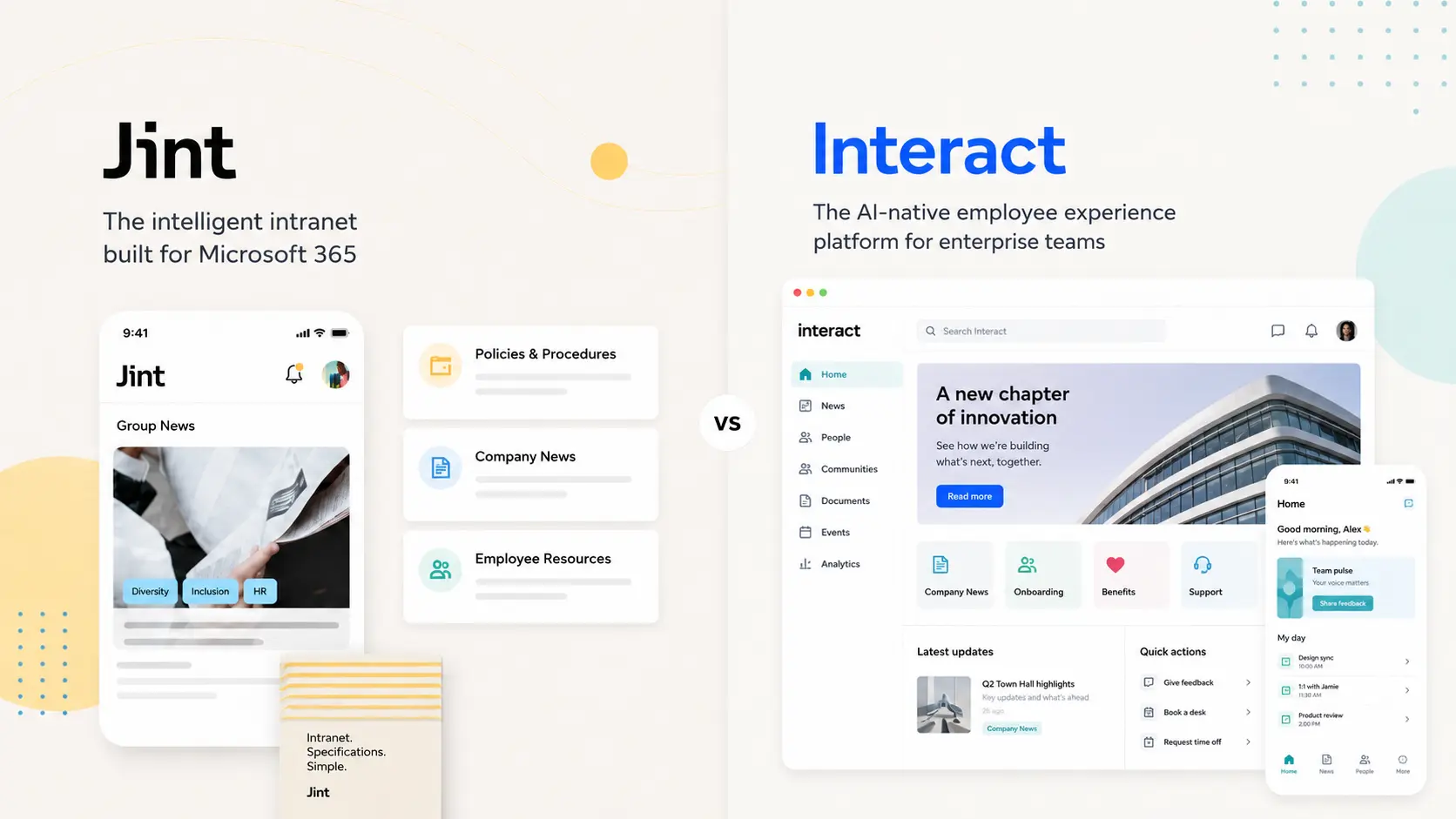


If your company runs on Microsoft 365, Jint is the more direct alternative to Interact. Interact is a capable internal-communications intranet, but it is a standalone platform that integrates with Microsoft 365 rather than living natively inside it. Jint is a native add-in that upgrades the SharePoint and Teams you already own.
According to McKinsey, employees spend on average 1.8 hours a day, close to a full working day every week, searching for information. A good intranet hands that day back. The question is whether you run a separate platform to do it, or build the experience into the workplace your people already use.
What Interact does well
Interact rates around 4.5 on G2 and 4.6 on Capterra. Reviewers praise a first-class search, strong audience targeting for communications, a clean professional interface and useful built-in features like recognition. For comms teams that want a focused, user-friendly intranet, it delivers.
The real limits of Interact
- Complex backend. Reviewers describe content development in the backend as complicated and at times glitchy, with a learning curve.
- Inconsistent implementation. Some report being routed to the community for most questions during rollout.
- Limited automation. Users want more automation for publishing, archiving and content renewal.
- Separate platform. Interact is not native to Microsoft 365, so it adds a system to maintain and hosts your data on its own SaaS.
The hidden technical debt of a third-party platform
Interact sits beside your Microsoft 365 as a separate system: its own release cycle, integrations to keep alive, and a roadmap you depend on. Jint takes the opposite path. It is a native Microsoft 365 add-in and an official Microsoft partner solution on Azure Marketplace and AppSource. Microsoft maintains the infrastructure and ships platform updates; Jint pushes product and AI evolutions on top. No parallel platform to patch, no upgrade project on your roadmap.
We will own our trade-off too. As a SharePoint Online extension, Jint depends on Microsoft, and a heavily customized existing intranet can take longer to migrate. But depending on Microsoft, where your data already lives, is a different bet than maintaining a separate platform.
Jint in brief
Jint (formerly Mozzaik365) is built by a 50+ team across Paris and Montreal, with 8 years of Microsoft 365 expertise, 300+ clients and over a million active users. It turns native SharePoint into a modern intranet, with a personalized news hub, advanced search, an employee directory, onboarding journeys and a mobile experience for frontline workers. On Capterra it scores 4.7 out of 5 (as Mozzaik365), with an 86% recommendation rate on G2. Your data stays in your own Microsoft 365 tenant.
Jint vs Interact: side by side
If you're comparing multiple intranet platforms, check out our full intranet software comparison for 2026.
When to choose Interact, when to choose Jint
Choose Interact if you want a focused, standalone comms intranet and you are not building on Microsoft 365. Choose Jint if Microsoft 365 is your backbone and you would rather extend SharePoint and Teams than run a second platform, with native search, data in your tenant and a faster rollout. See our wider alternative to SharePoint comparison.
AI: a structured intranet is the foundation, not a feature
Everyone ships an AI assistant now. The uncomfortable truth: an AI agent is only as good as the information it can reach. Point one at scattered or poorly governed content and it hallucinates or finds nothing. So the order matters. A well-structured intranet on Microsoft 365 organizes, updates and governs your knowledge, exactly what an agent needs to answer correctly. Jint Genius builds on that foundation instead of bolting an assistant onto chaos.
The bottom line
Interact is a solid comms intranet, but a separate one. For Microsoft 365-first companies, Jint delivers targeted communication, native search and a modern intranet inside the M365 you already own, with your data in your tenant.
Book a Jint demo to see it on your own SharePoint.