





🧠 TL;DR: how to choose the best intranet software in 2026
- There is no single best intranet software: there is the platform that fits your tech stack, your workforce and your data requirements.
- Five questions narrow the market fast: tech stack, frontline reach, data residency, AI, and 3-year total cost.
- On Microsoft 365, a SharePoint- and Teams-native platform avoids adding yet another tool next to the ones you already pay for.
- Our decision grid and side-by-side table get you to a shortlist in five minutes, before you dig into the 13 detailed reviews.
To choose the best intranet software in 2026, start with your tech stack (Microsoft 365, Google Workspace, or neither), then look at who you need to reach, where your data must live, what you expect from AI, and the total cost over three years. The right intranet platform isn't the one with the longest feature list. It's the one your people actually open every day.
The market doesn't make this easy. The ClearBox 2026 report reviews 37 intranet and employee experience platforms. Every one of them promises engagement, AI and mobile. Not every one delivers in your context.
And the stakes are real. According to Microsoft's 2025 Work Trend Index, the most-pinged Microsoft 365 users get interrupted every two minutes during core hours, up to 275 times a day. A poorly chosen intranet adds to that noise. A well-chosen one cuts through it.
This guide does both jobs. First, it helps you choose: five questions, a decision grid and a comparison table. Then it reviews the 13 best intranet platforms on the market, with their strengths and their limits.
How to choose the best intranet platform in 2026
Answer these five questions, in this order. Each answer rules out part of the market, and your shortlist builds itself.
1. What tech stack do you run on?
This is the question that settles the most. If your teams live in Microsoft 365, a SharePoint- and Teams-native platform reuses your identity, permissions and documents. No second content store, no sync jobs to babysit. On Google Workspace or a mixed stack, an independent platform with connectors to both worlds makes more sense. With no productivity suite imposed, you get the widest choice, and the most integration work.
2. Who do you need to reach, and on what device?
Count your deskless employees: stores, plants, job sites, care facilities. If they're more than half your workforce, the mobile app is the project, not an add-on. Check three things in every demo: targeted push notifications, sign-in without a corporate email address, and offline reading. For a deeper look, compare a mobile intranet and a traditional intranet.
3. Where does your data live, and who can reach it?
Regulated industries, public sector, healthcare: compliance filters the market quickly. Ask every vendor one plain question: does my content leave my environment? A platform that stores everything inside your own Microsoft 365 tenant adds no new data processor. A standalone platform with its own hosting can meet other requirements, such as a specific sovereign cloud. Both approaches are defensible. What matters is knowing which one you're buying.
4. What should AI do, and on which data?
Every vendor now ships an AI assistant. The real question is what content that assistant can reach. An AI agent is only as good as the information it reads. Scattered or outdated content, and it answers wrong. A structured, governed intranet is the foundation that makes Copilot and AI agents useful. In demos, ask to query the assistant on a real document from your organization, not on a prepared dataset.
5. What will it really cost over three years?
The license is one line in the budget. Add implementation, training, content operations, integrations and maintenance. Some platforms with low license fees are expensive to run, and the reverse is true too. Compare total cost of ownership over three years, and use our breakdown of how much an intranet costs.
Need the full process, from requirements to final selection? Follow our step-by-step guide on how to choose the right intranet software.
Which intranet platform fits your profile?
Start with the row that looks most like you. It gives you two to four platforms to demo, not a verdict.
| Your situation | Platforms to shortlist | Why |
|---|---|---|
| You run on Microsoft 365 and want a native intranet | Jint, Powell | SharePoint, Teams and Viva integration, content stays in your tenant |
| More than half of your employees are deskless | Staffbase, Workvivo, HubEngage | Mobile-first apps, push notifications, sign-in without corporate email |
| Global enterprise, 10,000+ employees, multiple brands | Unily, LumApps, Interact | Fine-grained targeting, multilingual, governance at scale |
| Google Workspace or mixed environment | LumApps | Native connectors to Google and Microsoft |
| Public sector or strict sovereignty needs, outside Microsoft 365 | Jalios, Jamespot, Intranet Inside | European vendors, EU hosting, on-premise options |
| You want to replace the whole Microsoft 365 suite | Wimi, Jamespot (CollabNext) | Sovereign collaboration suites that go beyond the intranet |
| Self-sufficient comms or HR team, fast rollout without IT | Simpplr, Intranet Inside | Quick setup, no technical skills needed to run it |
Intranet software comparison table: 13 platforms side by side
The summary at a glance. Detailed reviews follow, with the pros and cons of each platform.
| Platform | Ecosystem | Best for | Key strength | Watch out for |
|---|---|---|---|---|
| Jint | Microsoft 365 native | Mid-market teams on M365 | Design, mobile, AI on your M365 content | Requires Microsoft 365 |
| Intranet Inside | Standalone | Organizations outside M365 | Comms autonomy, multichannel | Limited M365 integration |
| LumApps | Google and Microsoft | Large multi-site enterprises | Targeting, 100+ connectors | Heavier rollout |
| Powell | Microsoft 365 native | Mid-sized companies on M365 | Low-code studio, Teams and Viva | Less flexible third-party integrations |
| Staffbase | Independent, connectors | Frontline-heavy organizations | Mobile app, campaigns | Lighter on collaboration |
| Simpplr | Independent | Comms and HR teams in a hurry | Ease of use, analytics | Limited customization |
| HubEngage | Independent | Engagement and recognition | Mobile-first, AI surveys | Not Microsoft-centric |
| Unily | Hybrid | Multinationals, 10,000+ employees | Customization at scale | Long, costly projects |
| Workvivo | Zoom | Culture and social engagement | Social feed, community | Weak on documents |
| Jalios | Standalone, cloud or on-premise | Public sector, institutions | Document governance, sovereignty | Less modern interface |
| Jamespot | Standalone, sovereign | Public sector, nonprofits | On-demand modules, AI agents | Needs onboarding support |
| Interact | Independent | Large regulated enterprises | Governance, customer support | Smaller footprint in French markets |
| Wimi | Microsoft 365 alternative suite | Replacing Microsoft 365 | SecNumCloud, France hosting | No M365 integration |
Why structure your intranet project before comparing vendors?
Choosing the best intranet software depends less on technology than on how clear your needs are. A requirements document, even a short one, keeps you from judging platforms on their flashiest demo. It sets your priorities, use cases and constraints, and it gets IT, internal communications and HR aligned before the first vendor call.
Save time with our free intranet specifications template. Budgeting is part of the same exercise: knowing what an intranet costs under each deployment model sets expectations from day one.
How is the intranet software market evolving?
Gartner's Magic Quadrant for Intranet Packaged Solutions (2025 edition), Lecko's research and the ClearBox 2026 report agree on one thing: the market is no longer won on feature lists. The platforms that stand out can:
- Offer flexible content management distributed across many contributors.
- Integrate with the document tools of Microsoft 365 or Google Workspace.
- Provide a collaboration space that works on every device.
- Switch on modules as needed: FAQs, forums, HR journeys, knowledge base.
- Serve desk-based employees and frontline teams alike.
- Use AI to answer questions, suggest content and improve enterprise search.
Two signals stand out in the ClearBox 2026 report. Mobile is no longer an extension of the intranet: it has to match consumer-app standards. And knowledge management is becoming a category of its own, driven by AI assistants.
Faced with these requirements, some organizations look at open-source intranet software. That route brings technical overhead and integration work that packaged platforms are built to avoid.
The 13 best intranet platforms in 2026: full comparison
How we built this comparison. We cross-checked independent research (Gartner's 2025 Magic Quadrant for Intranet Packaged Solutions, ClearBox 2026, Lecko), vendors' public documentation and what we see in the field on customer projects. Each platform is assessed on its value proposition, strengths, limitations and the kind of organization it serves best. In the interest of transparency: Jint is our product. We list it first, limitations included.
Before comparing, make sure you're clear on the benefits of an intranet for your organization.
1. Jint
An intelligent SharePoint extension enhanced by generative AI, to create a modular intranet 100% integrated with Microsoft.
Best if: your organization runs on Microsoft 365 and you want a modern intranet without adding a tool on the side.
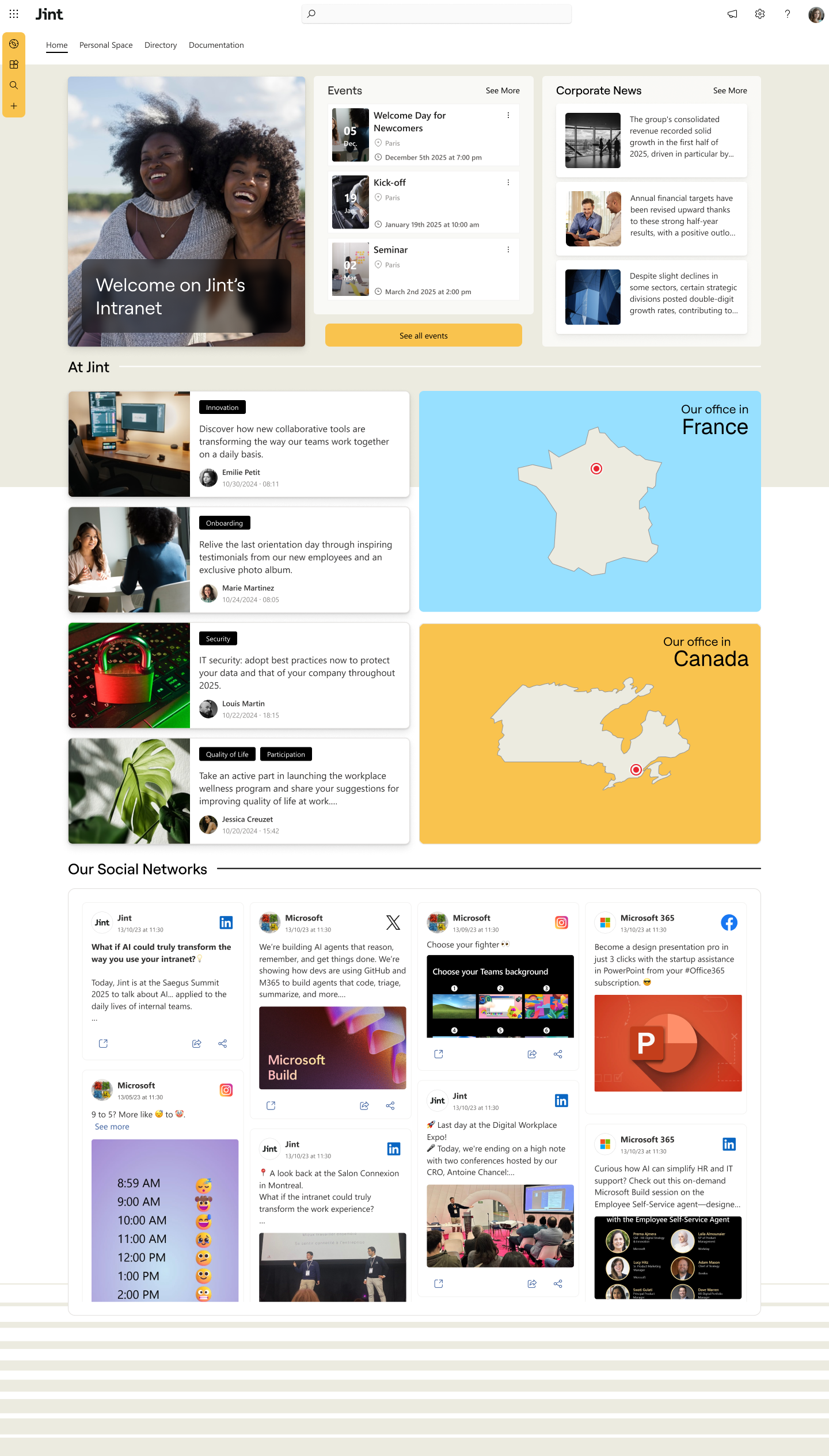
Jint turns SharePoint into a true strategic communication and collaboration platform that fosters employee engagement. With over 60 innovative features, contextual artificial intelligence (Genius), a no-code AI studio, and native integration with the Microsoft 365 ecosystem, Jint enables companies to build a powerful, seamless, and intuitive digital work environment.
Built for mid-market and smaller organizations, the solution facilitates information sharing, strengthens the sense of belonging, and boosts daily collaboration. The result: better connected, more engaged teams, and a more agile organization.
Advantages
- Integrated AI (Genius)
- Embedded in the Microsoft 365 environment
- No external storage
- Rapid deployment
- Advanced design, communication, and collaboration features
Limitations
- Requires Microsoft 365
- AI integration requires support
2. Intranet Inside
The intranet software every employee can use, from desk-bound to frontline workers.
Best if: you want a standalone intranet outside Microsoft 365, run by comms without IT, hosted in France.
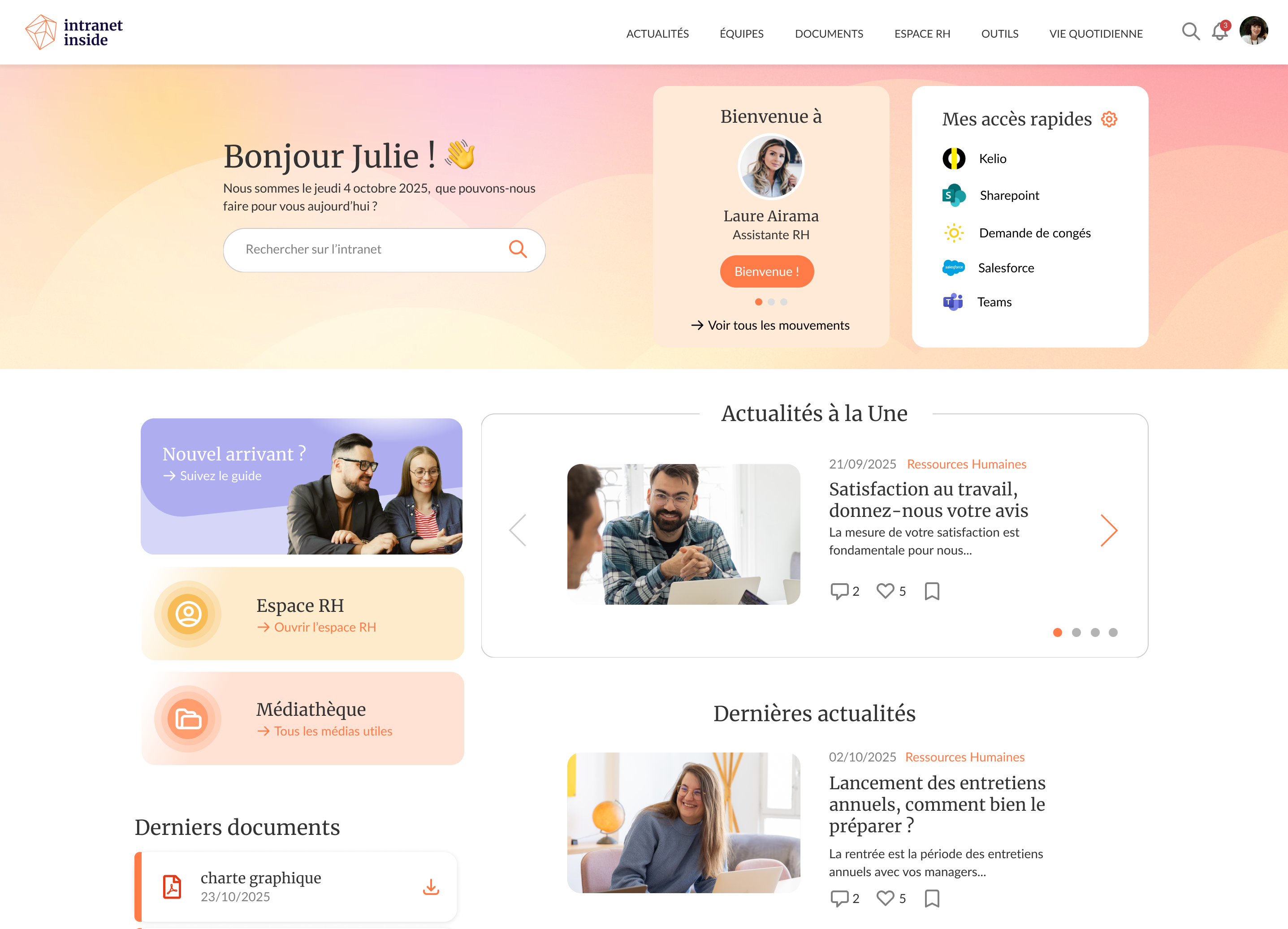
Intranet Inside is a modular French intranet solution that drives employee adoption and engagement through a simple, intuitive interface and 40+ customizable modules. It centralizes news, documents and HR resources in one place, enabling communications teams to publish and manage content independently, without IT support. It is ideal for SMBs, mid-market and enterprise organizations looking for a SaaS or an on-premise intranet without relying on Microsoft 365. See how Intranet Inside compares to Jint.
Advantages
- Reach all your employees, from office to frontline, on desktop, mobile and TV screens
- iOS & Android mobile app with push notifications
- Manage your intranet independently, without technical skills or IT dependency
- News and documents centralized in one space
- Native analytics to track engagement and usage
- Dedicated project manager from scoping to go-live
- SSO and Active Directory for simplified login
- Access without a professional email for frontline users
- France-hosted, independent from Microsoft and the Cloud Act
Limitations
- Designed for organizations with 100+ employees
- Less suited for organizations seeking advanced integration with Microsoft 365
3. LumApps
A global intranet designed for large multi-site organizations, integrating AI, micro-apps, and advanced personalization.
Best if: you're a large multi-site enterprise on Google Workspace or a mixed stack.
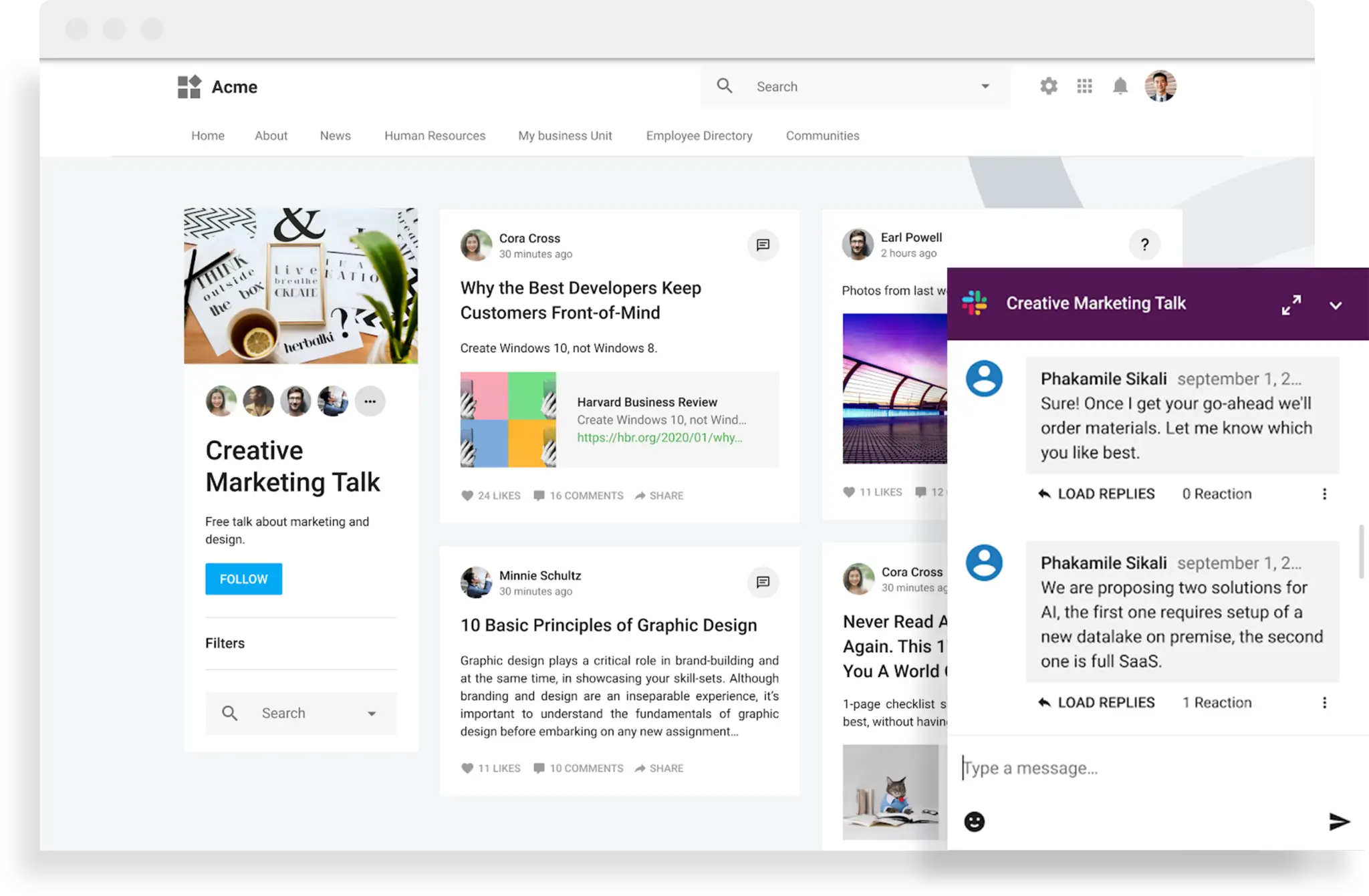
LumApps connects employees in Google and Microsoft environments. Its strengths lie in personalized journeys, internal campaign management, and a conversational AI assistant (LumApps Companion) that streamlines use. The tool excels in project management, targeted content management, and communication within complex organizations. See how Lumapps compares to Jint.
Advantages
- Strong targeting capabilities
- 100+ native connectors
- Multilingual and multi-device
Limitations
- More complex to deploy
- Less suited to smaller organizations
4. Powell Software
A turnkey intranet software for Microsoft 365, customizable with a low-code approach.
Best if: you're on Microsoft 365 and want to build pages with a low-code studio.

Powell Intranet integrates natively with SharePoint, Teams, and Viva to transform Microsoft 365 into a modern communication platform. Its low-code studio enables the creation of custom pages and collaboration spaces. The built-in AI assistant, Powell Buddy, simplifies content management and automates FAQs and knowledge bases. Powell is ideal for mid-sized companies and businesses already committed to the Microsoft ecosystem. See how Powell compares to Jint.
Advantages
- AI tailored to business use cases
- Compatible with Teams and Viva
- Responsive UX
Limitations
- Only works with Microsoft 365
- Less flexible for third-party integrations
5. Staffbase
A mobile-first intranet software for frontline workers and large-scale communication campaigns.
Best if: most of your employees are deskless and top-down communication comes first.

Staffbase provides a simple and efficient collaboration space, particularly suited for multichannel internal communications. It also enables centralized content management, paired with results-oriented analytics. See how Staffbase compares to Jint.
Advantages
- Advanced mobile app
- Multichannel (email, app, web)
- Strong campaign orientation
Limitations
- Search engine could be improved
- Less depth in collaborative use cases
6. Simpplr
A packaged SaaS solution, quick to deploy, designed for seamless collaboration and a modern interface.
Best if: your comms or HR team wants to roll out a standard SaaS tool fast, without depending on IT.
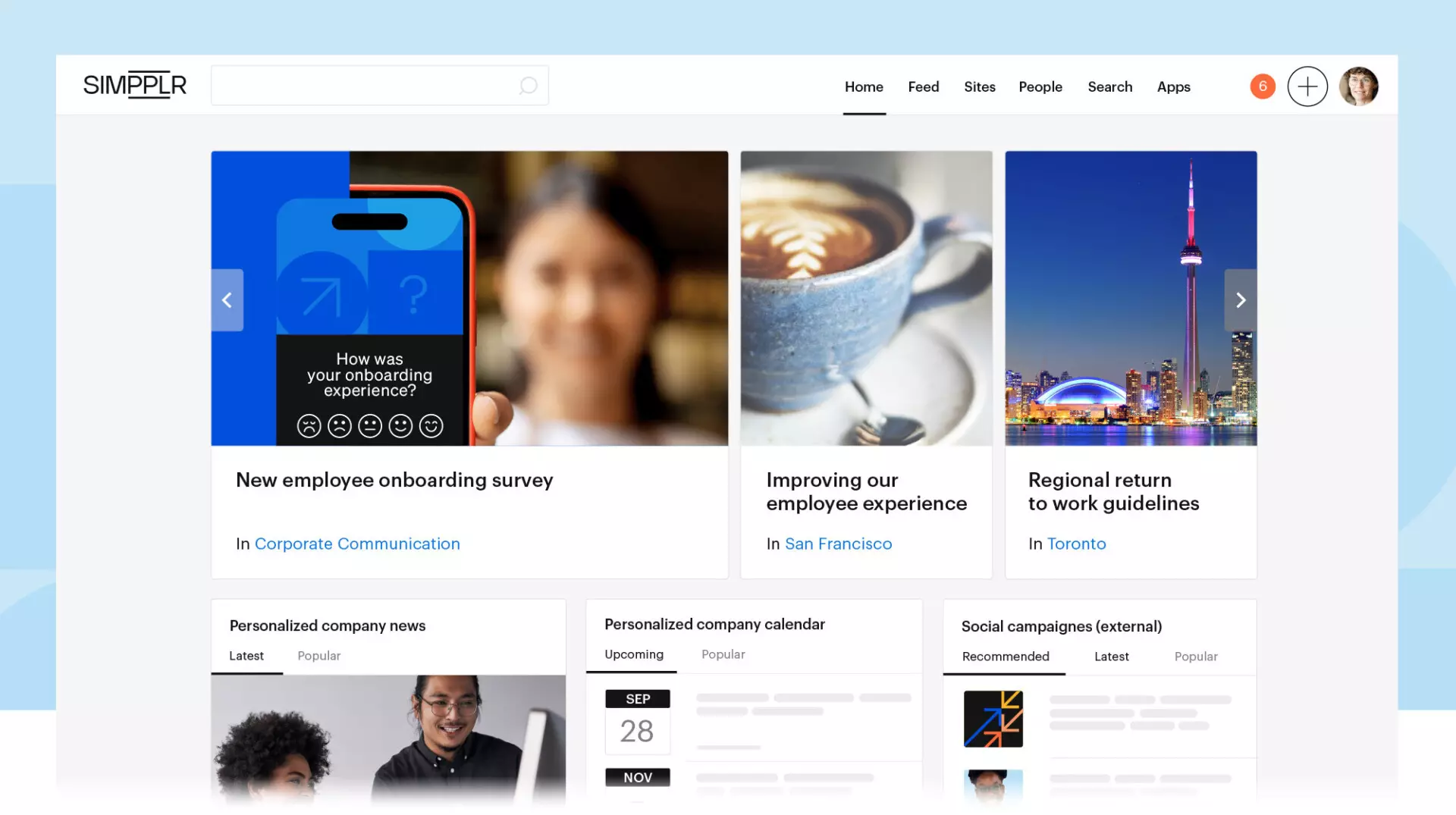
Simpplr stands out for its ease of deployment and "plug-and-play" logic. It integrates content management, team pages, news feeds, and governance tools without depending on IT. An ideal solution for communication and HR teams seeking responsiveness. See how Simpplr compares to Jint.
Advantages
- Intuitive UX
- Built-in analytics
- Fast deployment
Limitations
- Less customizable
- Limited non-standard integrations
7. HubEngage
HubEngage is a modern employee experience platform that combines intranet, social engagement, recognition, and employee listening in a unified digital workplace.
Best if: you want intranet, recognition and employee listening in a single mobile app.
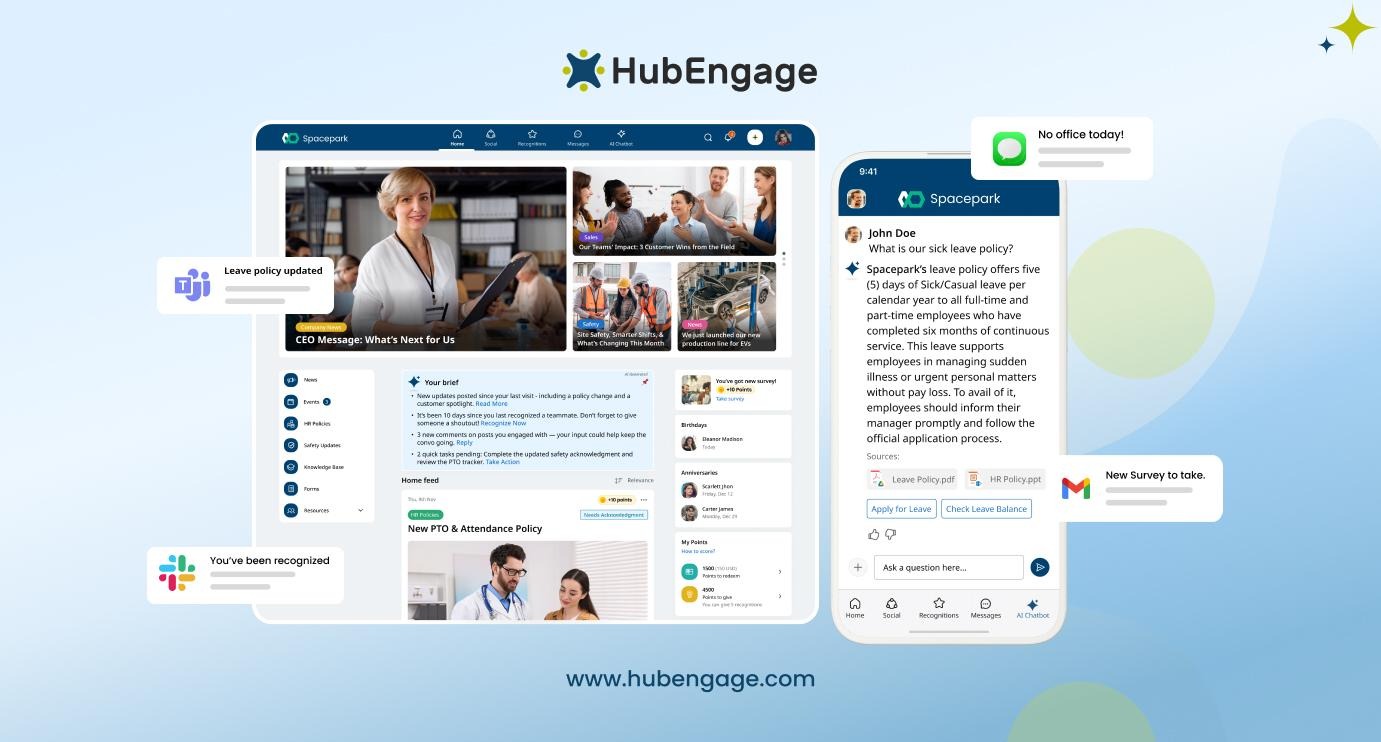
HubEngage helps organizations move beyond traditional intranets by creating a more interactive and engaging employee experience. Alongside company news, resources, and knowledge sharing, the platform includes social feeds, employee recognition, AI-powered surveys, and community features that encourage participation and strengthen workplace culture. Designed for both desk-based and frontline employees, HubEngage provides a mobile-first experience that keeps employees informed, connected, and engaged regardless of location.
Advantages
- Combines intranet, social engagement, recognition, and AI surveys in one platform
- Mobile-first experience designed for deskless and frontline workforces
- AI-powered search and chatbot for quick access to information
- Gamification, rewards, and social interactions to drive adoption and participation
- Flexible deployment with modular capabilities that can scale over time
Limitations
- Broader employee experience focus may be more than organizations need if they only require basic document management
- Less focused on Microsoft-centric environments than SharePoint-based solutions
8. Unily
A premium intranet software designed for large enterprises with high organizational complexity and advanced customization capabilities.
Best if: you're a multinational with 10,000+ employees, multiple brands and a dedicated project team.

Unily positions itself as a high-end intranet software platform. It meets the needs of multinational companies seeking to manage multiple collaboration spaces on a large scale. With multilingual content management, advanced segmentation capabilities, and centralized administration tools, Unily is a benchmark for large companies (10,000+ employees).
Advantages
- Fine-tuned customization at scale
- Compatible with hybrid environments
- Multi-site, multi-brand, multi-profile management
- Excellent UX and integrated analytics
Limitations
- Complex deployment
- Less suitable for SMEs or mid-sized businesses
- Less flexible for fast-evolving projects
9. Workvivo
A modular intranet focused on social engagement, community building, and dynamic content formats.
Best if: culture and social engagement are the priority, and you already run on Zoom.
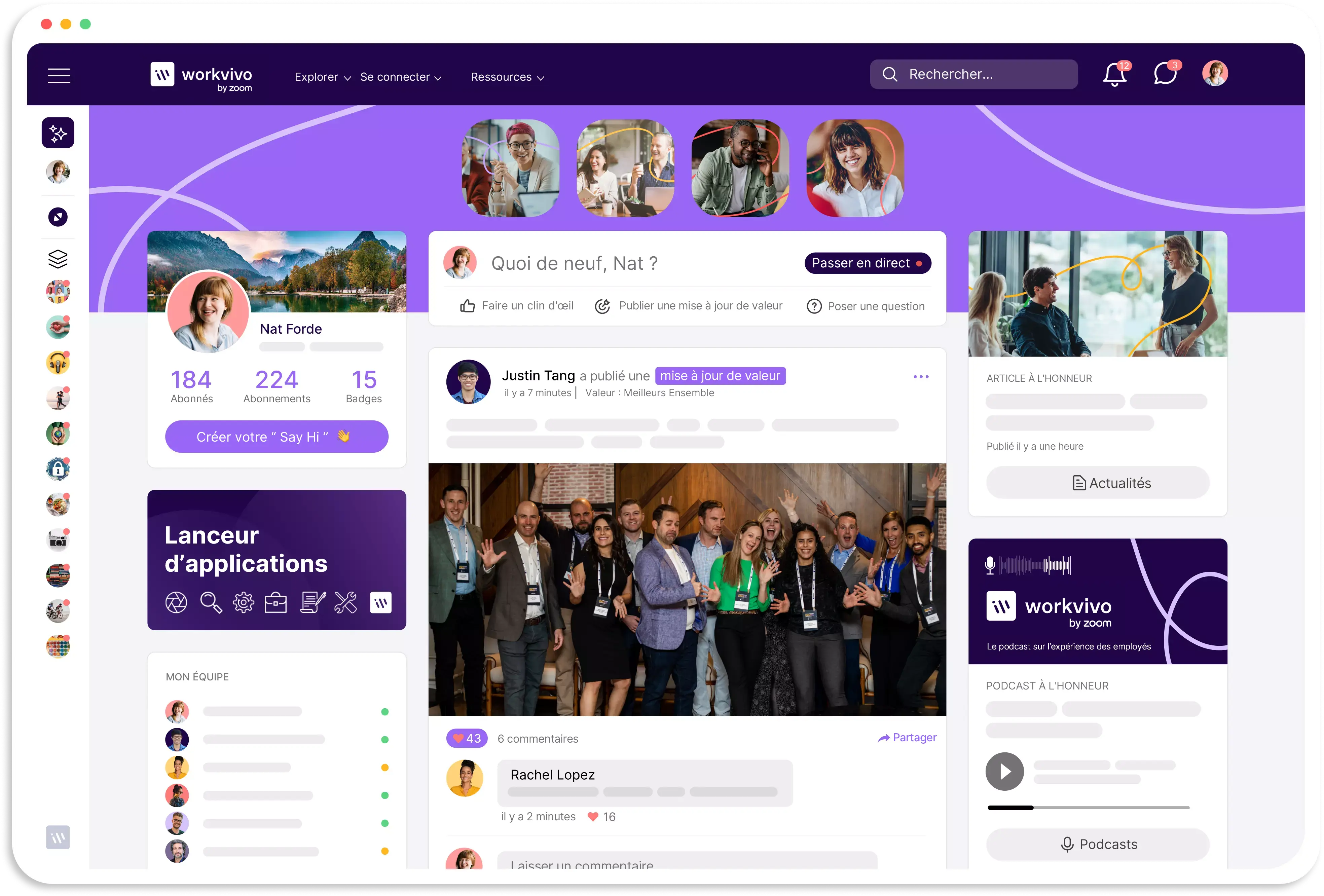
Now integrated into the Zoom ecosystem, Workvivo is an intranet application designed as an internal social network. Its news feed, recognition features, comments, and posts foster smooth collaboration and employee engagement, especially within dispersed or rapidly growing environments.
Advantages
- Strong community engagement capabilities
- Ideal for culture- and values-driven companies
- Zoom integration for synchronous events
- Polished mobile-first experience
Limitations
- Less focused on document management
- Limited business functionalities beyond communication
- Less suitable for structured or administrative intranet use
10. Jalios
A rich, adaptable, and secure French intranet platform, ideal for public bodies, institutions, and multi-activity groups.
Best if: you're a public institution with heavy document needs and sovereignty requirements.
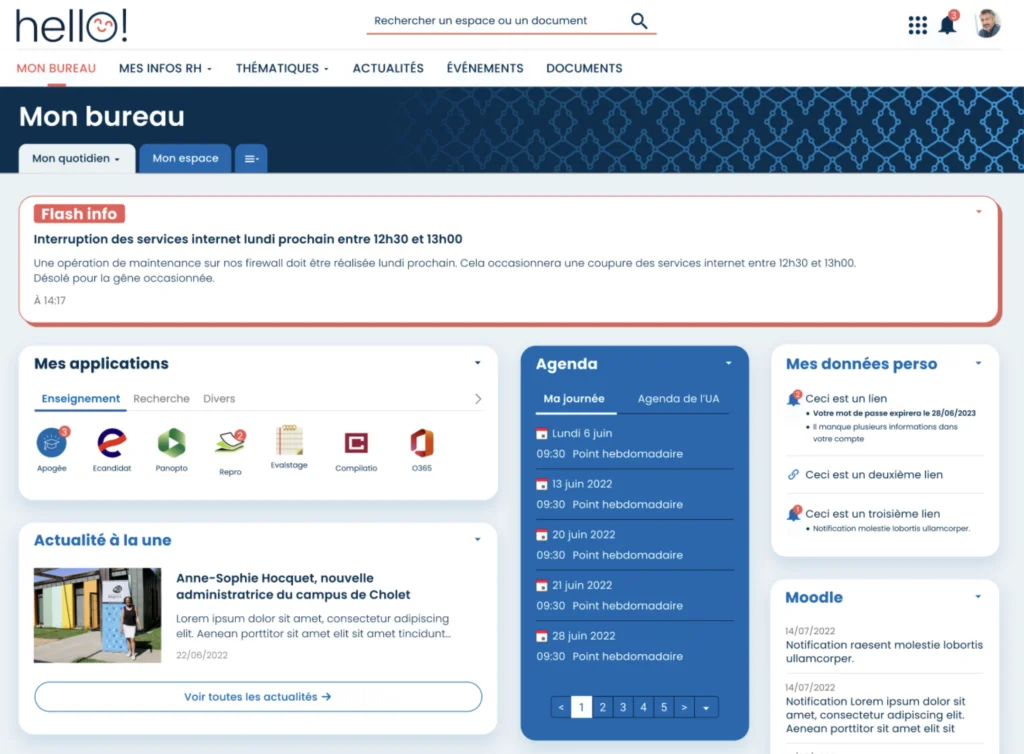
Jalios is a robust solution with a strong focus on content and document management, offering a range of collaborative modules depending on needs (collaboration, CSR, EDM, LMS…). Its generative AI JNLP, integrated in 2024, also enables the creation of personalized assistants. It addresses issues of sovereignty, accessibility, and scalability. See how Jalios compares to Jint.
Advantages
- Full cloud or on-premise offering
- AI integration (summaries, translations, assistants)
- Strong in document governance
- High level of graphical and functional customization
Limitations
- Interface less modern than some cloud-native solutions
- Deployment requires technical support
- Less suitable for organizations seeking fast implementation
11. Jamespot
A fully customizable, sovereign intranet software enhanced with intelligent agents adaptable to each business function.
Best if: you want a sovereign, modular alternative, especially in the public or nonprofit sector.
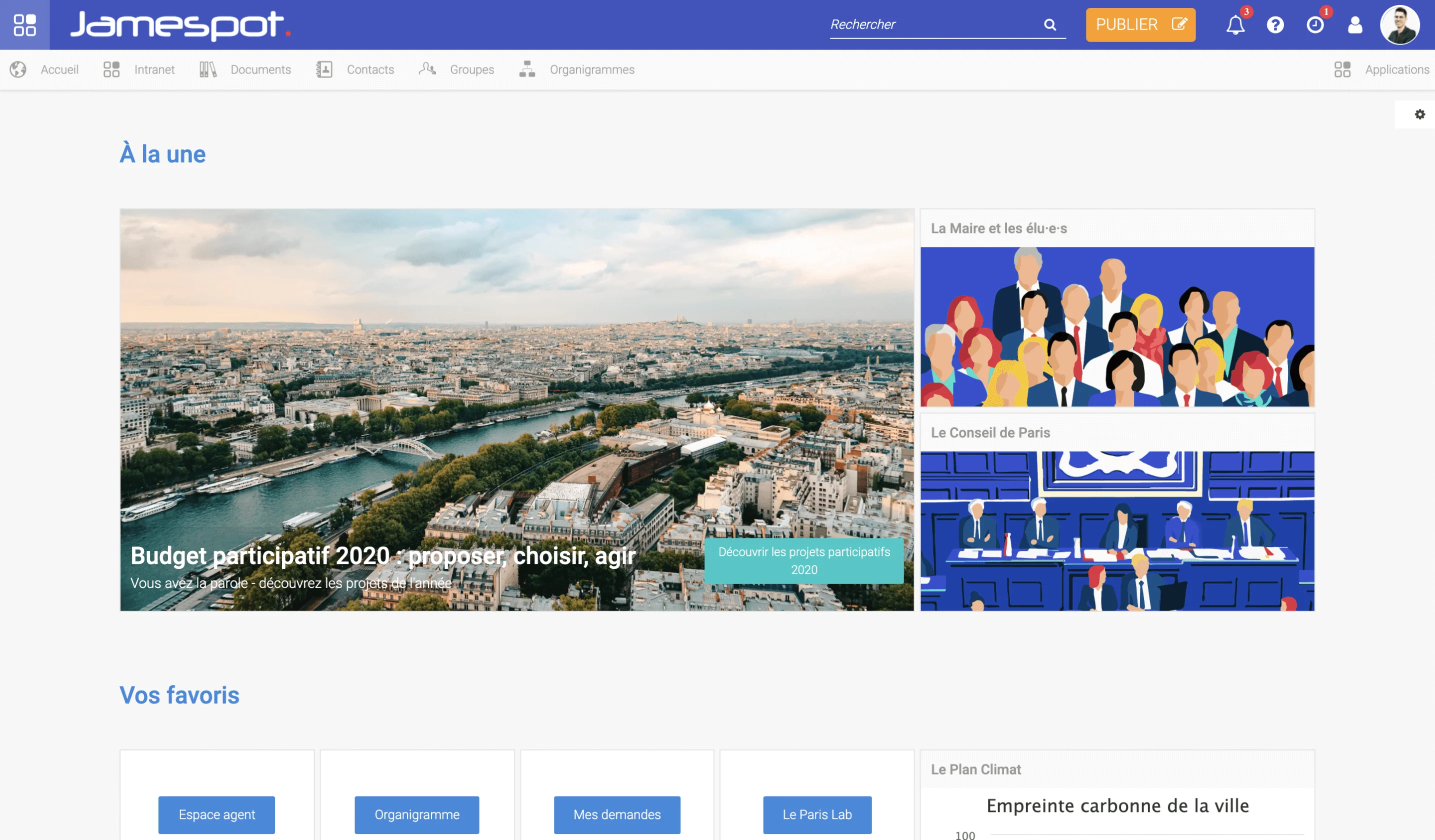
Jamespot offers a modular intranet that can be activated block by block depending on your use: field feedback, document sharing, newsletters, team engagement. With its collaboration tools, collaborative spaces, and AI agents (Jamesbot & Extrabots), it allows you to build an intranet in your own image. It is particularly popular among public sector entities, associations, and mission-driven companies. See how Jamespot compares to Jint.
Advantages
- Sovereign AI and configurable agents
- On-demand module activation
- Intuitive interface for non-technical users
- Alternative offer to Microsoft 365 via CollabNext
Limitations
- Learning curve for Extrabots
- Advanced features require onboarding
- Fewer native integrations than US solutions
12. Interact
A robust intranet tool for large enterprises seeking high levels of automation, governance, and user experience.
Best if: you're a large regulated enterprise (healthcare, finance, retail) with strict governance.
.png)
Interact is a comprehensive intranet software platform known for its continuous innovation and service orientation. It offers contextual content management, optimized workflows, AI integrated into user journeys, and a flexible architecture. It is especially suited to sectors such as healthcare, finance, and retail. See how Interact compares to Jint.
Advantages
- AI integrated into processes
- Excellent information and access rights management
- Strong customer support
- Multiple deployment options (cloud, private, on-premise)
Limitations
- Smaller footprint in French-speaking markets
- May require internal team onboarding effort
- No advanced sector-specific verticalization
13. Wimi
A French, sovereign collaboration suite, SecNumCloud-qualified by ANSSI, built to replace Microsoft 365 with a work environment 100% hosted in France.
Best if: you want to replace Microsoft 365 with a full sovereign suite, not just add an intranet.
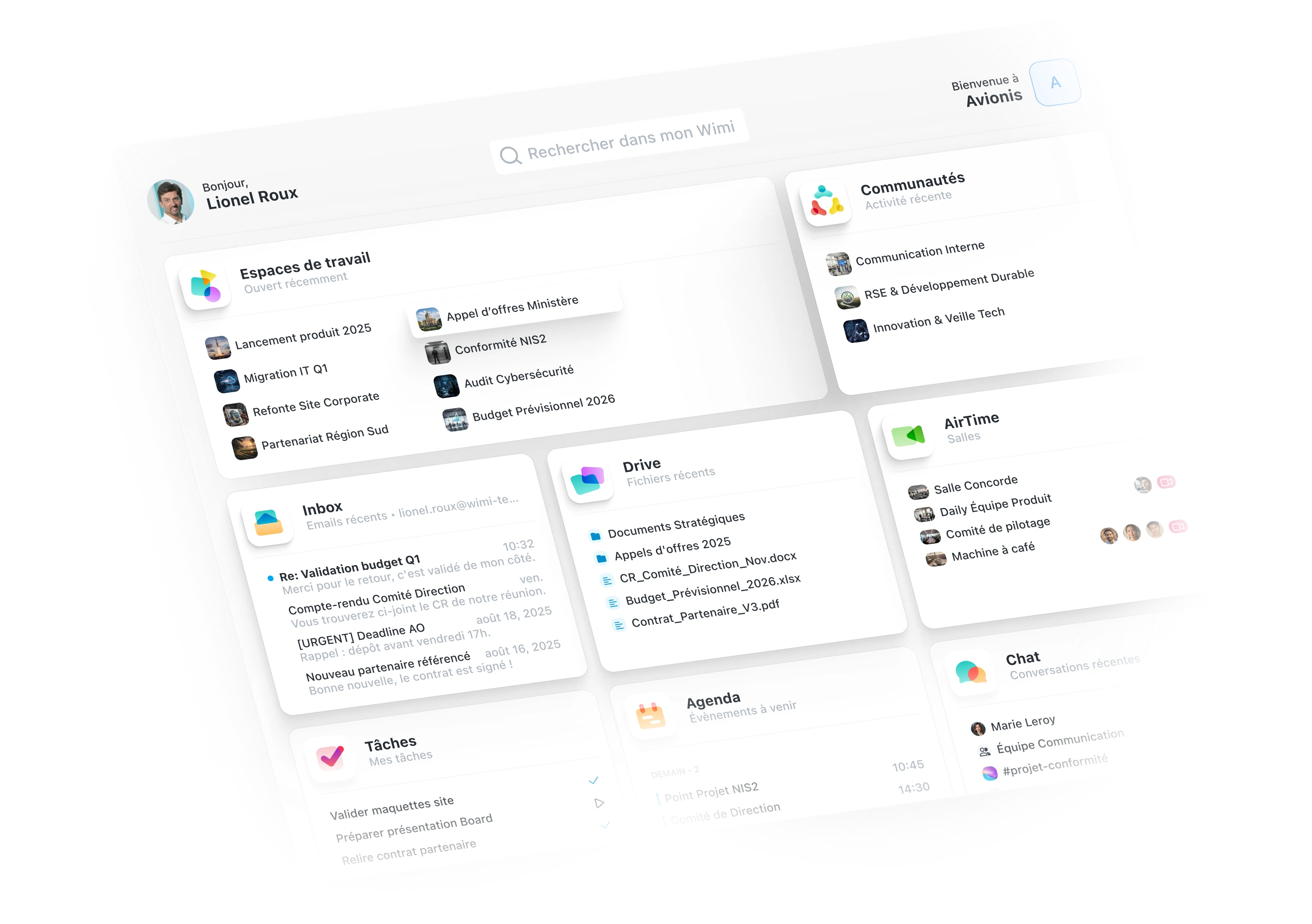
Wimi brings email, calendar, drive, video conferencing (AirTime), project management (Workboard), chat, an enterprise social network, and electronic signature together in a single platform. An independent French vendor founded in 2010, developed and hosted in mainland France, Wimi positions itself as a French alternative to Microsoft 365, outside the reach of the Cloud Act and without exploiting customer data.
Built for organizations handling sensitive data as well as SMEs, the solution covers project-based collaboration, internal communication, and secure document sharing. SecNumCloud 3.2-qualified by ANSSI, ISO 27001:2022 and HDS certified, it's used by the French National Assembly, the Ministry of the Armed Forces, AP-HP, Total Energies, and SNCF.
Advantages
- 100% France-based hosting, outside the Cloud Act
- ANSSI SecNumCloud 3.2 qualification
- All-in-one suite: mail, drive, video, project, chat
- Independent French vendor since 2010
- ISO 27001:2022, HDS certifications, GDPR compliance
- No data exploitation, no advertising
Limitations
- No native integration with the Microsoft 365 ecosystem
- Migrating a full suite requires dedicated support
Conclusion: the best intranet platform is the one your people open
There is no single best intranet. There is a platform that fits your tech stack, your workforce, your data requirements and your three-year budget. The five questions in this guide will get you there more reliably than any ranking.
One last piece of advice that applies to every platform in this comparison: treat your intranet as the foundation of your future AI use. Copilot and AI agents only answer well when information is organized, current and governed. That's exactly what a well-designed intranet does. On Microsoft 365, it's the approach behind Jint SharePoint: structure knowledge where it already lives, instead of copying it somewhere else.
To go further, cross-check this comparison with our intranet CMS comparison, or talk your project through with a Jint expert.
Key takeaways
- Choosing an intranet platform starts with your tech stack: Microsoft 365, Google Workspace or neither.
- Frontline teams require a real mobile app, with push notifications and sign-in without corporate email.
- Knowing where your data lives matters as much as the feature list.
- An AI assistant is only as good as the content it can reach: a structured intranet is its foundation.
- Compare platforms on three-year total cost, not on license price.

.webp)


