



Search Center
Deliver the ultimate SharePoint search experience for your teams.
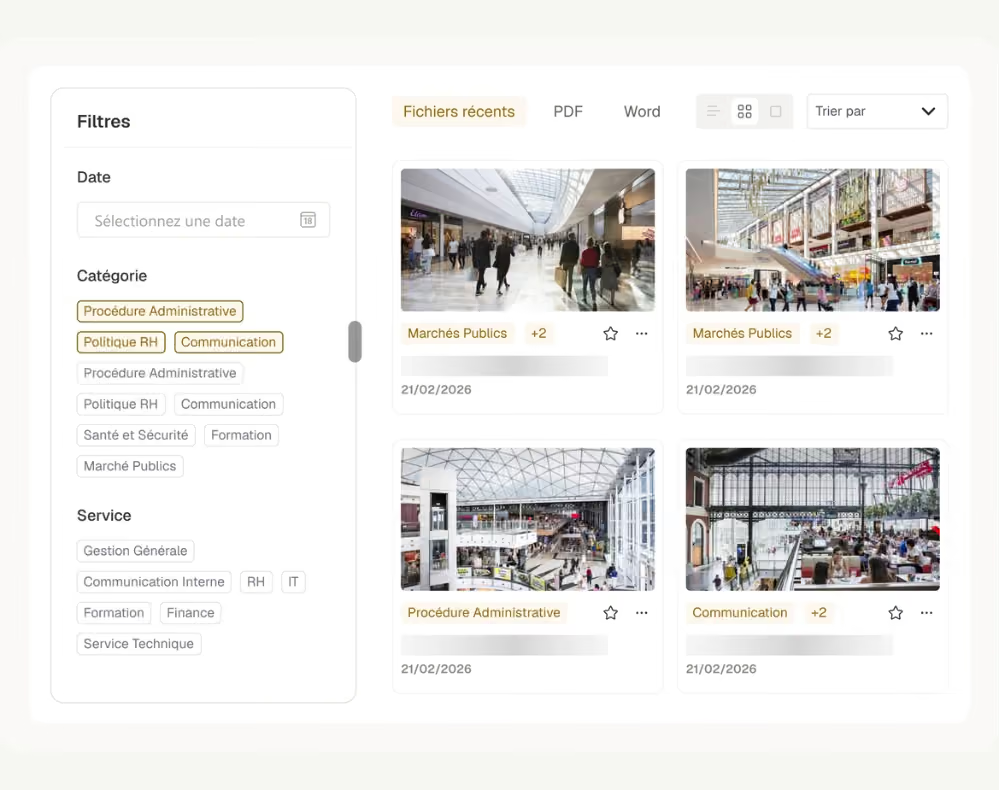
Build the perfect search experience tailored to your team's collaborative needs. Our Search Center is a powerful, modular tool that includes a dynamic Search Bar for keywords, intelligent Search Filters to refine results, and intuitive Search Results to display, sort, and act on information. Customize layouts and interfaces so every team gets a search experience that feels like their own, not a generic result page. Your team finds exactly what they need, whether they are searching a photo and video library, regulatory documentation, HR policies, internal mobility postings, IT procedures, marketing assets, or legal templates. Scope results to a single folder with KQL queries, filter by resource type such as news, videos, or PDFs, and let every team, from legal to onboarding, build its own dedicated search experience without leaving SharePoint.


Frequently asked questions about Jint.
What is the Jint Search Center for SharePoint?

The Search Center is a modular set of three web parts, Search Bar, Search Filters, and Search Results, that you combine to build a custom search experience across your entire Microsoft 365 environment.
What can employees search for with the Jint Search Center?
Everything from SharePoint pages, news, and documents to videos, contracts, HR policies, and internal opportunities. Teams commonly build dedicated search experiences for IT, legal, marketing, HR, and onboarding content.
Can we target search results to a specific folder or content type?
Yes. Use KQL queries to scope results down to a single folder, and filter by content type (news, videos, PDFs) so employees land on exactly what they need.
Can the Search Center power a dedicated search page for a specific team?
Yes. Since each Search Bar, Filters, and Results combination is independent, you can build a dedicated search page for IT, legal, marketing, or HR, each scoped to the content that matters to that team.
Does the Search Center help with onboarding and internal knowledge bases?
Yes. Teams commonly use it to centralize FAQs, wikis, and internal know-how in one searchable space, which shortens onboarding and cuts down repetitive questions to colleagues.


