




Microsoft Teams, one of the most popular communication tools, has integrated ChatGPT, an advanced language model that can help answer employee questions, improve collaboration and increase productivity.
In this article, we'll explore how integrating ChatGPT into Microsoft Teams can help organizations, as well as concrete use cases where this integration can be useful for your Digital Workplace.
If you're interested in integrating ChatGPT into your Microsoft Teams environment, Jint has the solution. With our Smart Assistant Genius, integrate AI into your Digital Workplace in a 100% secure manner. Talk to one of our experts to learn more.
AI at work is already here: according to Microsoft's 2024 Work Trend Index, 75% of knowledge workers already use generative AI at work.
ChatGPT: What is it?
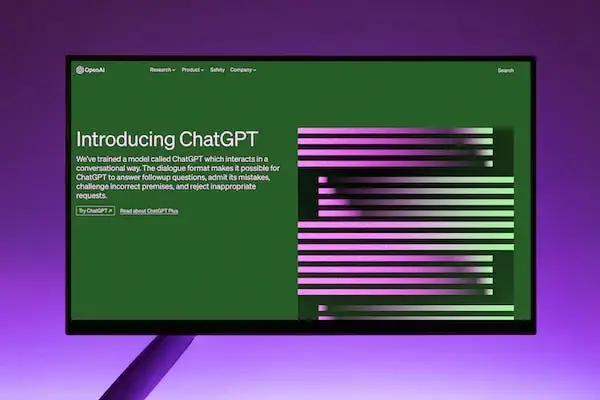
ChatGPT is a state-of-the-art language model created by OpenAI, a San Francisco-based artificial intelligence research organization. Based on the GPT (Generative Pre-trained Transformer) architecture, this model uses artificial neural networks to generate responses from input questions or phrases.
ChatGPT is trained on a large amount of text data to learn to predict the next sequence of words from a previous sequence, allowing it to generate responses autonomously, consistently and relevantly. It can be used for various natural language processing tasks such as text generation, machine translation, question answering, text classification, etc.
Microsoft Teams has integrated ChatGPT into its messaging system to allow employees to ask questions and receive quick and accurate answers, as well as generate meeting minutes and task recommendations.
So integrating ChatGPT into Teams helps improve collaboration and productivity by reducing the time it takes to search for information, and by making meetings smarter, especially with smart summaries.
How does the ChatGPT integration with Microsoft Teams work?
The integration of ChatGPT into Microsoft Teams works via a feature called "Ask Microsoft." When a user asks a question in the chat window, Teams uses ChatGPT to generate an answer. The answer is displayed in the chat window as a message, allowing the user to see it immediately. If ChatGPT cannot provide an answer, Teams automatically forwards the question to a subject matter expert, who can provide an answer manually.
The integration of ChatGPT into Microsoft Teams helps users get answers faster and more efficiently, leading to improved collaboration and overall productivity in organizations. It also helps reduce the workload of subject-matter experts, who can answer more complex and difficult questions.
In addition, OpenAI's technology will be used by next June to automatically generate meeting notes, task recommendations, or even customized special items." With intelligent recap, you can now save time when reviewing meeting recordings. AI-generated chapters break down the meeting into sections, so it's easy to choose the content that's most relevant to you," Microsoft.
💡Go further and discover how to integrate Jint's AI Smart Assistant
Microsoft Copilot: An AI tool to improve productivity
In addition to the ChatGPT integration, Microsoft has also developed an AI tool called Microsoft Copilot, which can help generate content for different types of documents, such as emails and presentations.
Microsoft Copilot uses pre-trained language templates to suggest whole sentences and paragraphs that can be used to write e-mails, presentations and other types of documents. The tool also helps generate code for different programming languages, which can be useful for developers.
Microsoft Copilot is integrated into Visual Studio Code, Microsoft's IDE (integrated development environment), as well as other development tools. The tool works by analyzing context and offering real-time suggestions to help users write content within your intranet more efficiently.
How can Microsoft Copilot integration in Teams improve employee productivity?
The integration of Microsoft Copilot into Teams aims to improve employee productivity by enabling users to write emails and messages faster and more efficiently.
Indeed, by suggesting whole sentences and paragraphs, Microsoft Copilot helps users write high-quality content faster, which can be especially useful for employees who are under tight deadlines or need to write large amounts of messages.
Microsoft Copilot's integration with Teams also serves to improve content quality. By suggesting entire sentences and paragraphs, the tool helps eliminate typos and grammatical errors, which helps improve the credibility and quality of content.
💡 To delve deeper into internal collaboration, discover Viva Engage.
Real-world use cases for integrating ChatGPT and Microsoft Copilot into Microsoft Teams
The integration of ChatGPT and Microsoft Copilot in Microsoft Teams can be used in many different use cases to improve the employee experience and productivity. Here are some real-world use cases:
- Answer employee questions: Employees may have questions about company policies, benefits, work schedules, etc. ChatGPT can be used to provide quick and accurate answers to employees, reducing the workload of subject-matter experts and improving employee satisfaction.
- Improve collaboration: Microsoft Teams is a widely used collaboration tool in organizations. The ChatGPT integration improves collaboration by allowing employees to ask questions and receive quick answers to reduce delays and improve project efficiency.
- Reduce email writing time: Employees often spend a lot of time writing emails. Microsoft Copilot integration in Teams reduces email writing time by suggesting whole sentences and paragraphs. As a result, employees spend less time writing emails and can spend the time saved on other tasks.
- Improve content quality: Microsoft Copilot integration improves content quality by suggesting high quality sentences and entire paragraphs to improve the credibility and overall quality of the content produced.
In summary, the integration of ChatGPT into Microsoft Teams helps organizations improve the employee experience and overall productivity by providing quick and accurate answers to employee questions. ChatGPT can be used in a variety of use cases, such as technical support, training, collaboration and knowledge management.

.webp)


