





As a counterpart to the customer experience, the employee experience has interested HR departments for several years. The reason for this growing appeal? A good employee experience is a guarantee of attractiveness, performance and retaining talent.
According to the 5th Employee Experience Barometer published in 2022 by the agency "Parlons RH", one organization out of two has already implemented an employee experience (EX) policy. This is a wise choice, since employees in organizations that have implemented such a strategy are more committed than others.
A User Experience platform is an interesting lever to improve the employee experience, especially in the context of telecommuting and hybrid work. This type of digital interface is indeed designed to meet employees' different needs throughout their journey within the organization.
The good news? As a Microsoft Teams user, you can now transform your collaborative application into a true digital user experience platform. In this article, Jint explains how to do it.
A single hub answers fragmentation: according to Microsoft's 2024 Work Trend Index, 75% of knowledge workers already use generative AI at work.
1. Teams, towards an optimal user experience
User experience refers to the overall perception that users have of a product in terms of its ergonomics, usefulness, reliability or desirability.
The User Experience (UX), therefore, plays a key role in the satisfaction felt by individuals towards the product in question. It contributes to its adoption and to the loyalty of its users.
The notion of user experience applies equally to products intended for customers (known as the customer experience) and those dedicated to a company's stakeholders.
In a context of hybrid work and digital transformation, in-house software must therefore be given special attention in terms of user experience.
They are necessary for communication and collaboration between employees, and also for the accomplishment of many daily tasks. Their unavoidable nature makes them a major lever of engagement or, on the contrary, a reason for demotivation for employees.
Recognizing the importance of the user experience for businesses, Microsoft is working to expand the features of its flagship collaborative application, Microsoft Teams.
In 2021, the software company launched the first employee experience platform: Microsoft Viva. With this solution integrated with Teams, the American firm offers five modules to make Teams a true digital user experience platform .

2. Turn Teams into a user experience platform
With Microsoft, companies can optimize their employees'user experience directly on the platforms they already use.
Thanks to the application's features and the new solutions provided by Microsoft Viva, it is thus possible to transform Teams into a unique, tailor-made and seamless digital work environment.
To do this, start by identifying your employees' needs and then connect Teams to your Digital Workplace by following the tips below.
🎯 To go further, discover 5 Microsoft Teams cases of use you need to know about
2.1 Integrate SharePoint pages into Teams
Microsoft allows the creation of SharePoint pages directly from the Teams collaborative application. This feature allows you to integrate intranet pages into Teams.
With a corporate website accessible in one click, without leaving the platform, you will make it easier for your employees to access the information that is important to them and to your organization.
A real plus in terms of user experience and corporate culture.
2.2 Create personal Dashboards in Teams
As you can see, a good user experience is all about getting the right information at the right time, without having to make an effort.
To optimize your employees' experience, consider offering them a personalized dashboard, accessible in Teams.
This personal Dashboard will allow them to instantly view a selection of information that is important to them: their daily to-do list, their upcoming appointments, the documents they are working on, or a stream of relevant news.
2.3 Integrate business tools into Teams
For a seamless experience, consider integrating your employees' business applications immediately into Teams.
This way, your employees will be able to navigate without friction between their discussion spaces, their working documents and their business tools. A real plus in terms of ergonomics, especially for field teams.
Software such as PowerBI or Salesforces can be integrated into the Microsoft Teams platform to optimize the user experience of your data analysts or salespeople.
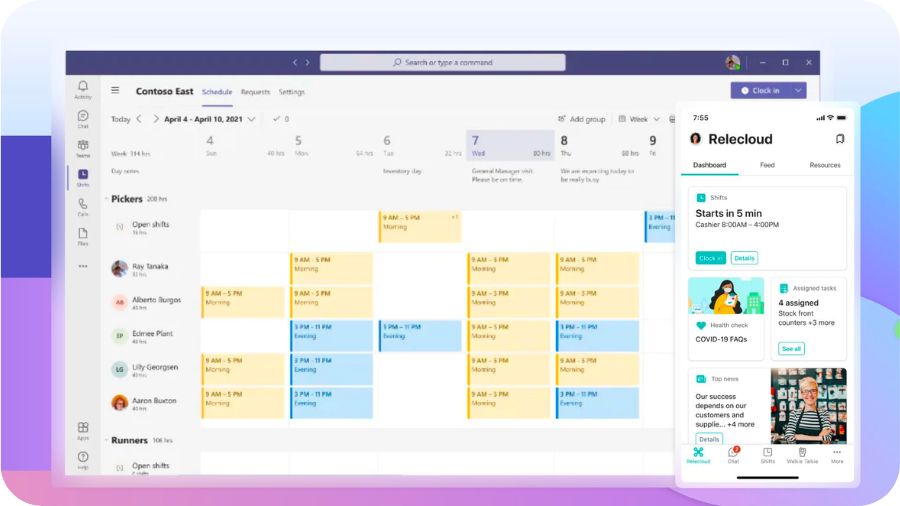
2.4. Schedule, facilitate and document your meetings without leaving Teams
Teams is a collaborative communication platform that takes care of its users' experience. The proof? It is possible to manage all aspects of a meeting without leaving the software at all.
Employees can schedule an event in their Teams calendar, facilitate the meeting with the Teams whiteboard, or document the meeting with Teams' built-in meeting notes.
📌 To go further on this topic, check out our tips for optimizing your Teams meetings with Microsoft Whiteboard
The icing on the cake is that all these elements (notes, diagrams, recording of the interview, etc.) can be found and reused simply via the application.
2.5. Edit your shared SharePoint documents collaboratively
As we have seen, Teams is a collaborative work application useful and easy to use. But that's not all. It is also a collaboration platform that simplifies co-authoring.
To turn Teams into a true all-in-one user experience platform, take advantage of this capability by integrating your documents (Excel, Word, PowerPoint, etc.) hosted on SharePoint into your Teams application.
This way, collaborators can co-edit these files without leaving their usual Teams interface. A must in terms of accessibility and efficiency.
To go further on this subject, discover the Microsoft tools that will boost your internal collaboration.
2.6. Document your projects, share knowledge and learn about any topic
Easy access to the information and knowledge needed to perform one's tasks is an important dimension of the employee experience.
Microsoft Teams provides a relevant answer to the problems encountered by employees.
With the new Viva Topics module, integrated in Teams, it is indeed possible to document your projects as you go along, to share your knowledge simply via a system of cards, and even to access information effortlessly thanks to links inserted automatically at each mention of a key concept.
Teams and channels are also valuable allies in terms of user experience. They allow you to bring together a project's stakeholders, to centralize the information related to the project and to share the documents useful for its completion.
3. Maintain the user experience over time with Teams
As we have seen, Microsoft Teams offers many possibilities for optimizing the employee experience. To facilitate the adoption of these features by your employees, do not hesitate to rely on a short training course or a sponsorship system to accompany your employees in the change.
Also, try to stay in touch with employees to anticipate their needs and adapt your employee experience strategy. To gauge the expectations of the organization's stakeholders, consider, for example, creating a survey in your main Teams channel or asking open-ended questions to gather Insights.
Also, get ready to integrate the Microsoft Loop app into your Teams work environment as soon as this new solution is released. Loop's portable components (lists, tables, notes, etc.) will be able to be integrated into your Teams conversations and edited directly from this entry point. This is a small revolution in user experience as this feature will keep group dynamics and further centralize interactions.
Finally, keep your Digital Workplace secure. Microsoft offers a secure and reliable work environment that contributes to an optimal employee experience. However, it is still necessary to regularly train your employees on cybersecurity issues. Indeed, as Kaspersky reminds us in a report, human error is the main source of cyber incidents.
💡 To go deeper into cybersecurity, find out why to base your IT strategy on Microsoft
What to remember...
In a period of accelerated digital transformation, Microsoft offers more and more solutions to improve the digital experience of employees.
In a 100% User Centric logic, the new features proposed by the American editor are implemented directly in the workspaces to which employees are already accustomed.
It is thus possible to transform the Microsoft Teams collaborative communication platform into a true digital user experience platform simply by utilizing all its capabilities and by integrating features such as the new Microsoft Viva modules or, in the near future, the Microsoft Loop components. So, it's up to you!
.jpg)


