Ready to create your Digital Workplace in Microsoft 365? The specifications will be your guide to designing the Digital Workplace that's right for you.
An internal newsletter loses its readers when its format, length or sender changes from one issue to the next. This guide helps you write a six-line reading contract, choose your sections from eight templates and keep to a quarterly calendar. It also sets out six indicators with their limits and a plan to relaunch your newsletter in 90 days.
In a consulting, audit or accounting firm, every hour spent looking for a template, an expert or an answer is an hour nobody bills. That cost can be measured, and it can be cut. This guide helps you estimate the hours your firm loses, audit its findability in 15 questions and launch a 60-day plan built on three workstreams.
A vendor calculator often produces a high return on investment that your CFO can neither verify nor rerun. This guide helps you price four options over five years and estimate the cost of inaction with visible assumptions. It also shows you how to present a conservative return on investment as a range rather than a single number.
Every department opens its own channel, and employees receive more messages than they can read. This guide helps you give each of your 7 channels a written role, choose one primary channel and two relays at most for each message, and sequence your campaigns in four steps. It also provides ten indicators to measure who really read, population by population.
Intranet offers look alike in a demo, yet they differ on where your documents live, what they really cost and how you can leave. This guide helps you place each offer among four types of Microsoft 365 solutions. It gives you 40 questions that call for proof, a five-year cost tool and ten warning signs to spot during a demo.
Clinical staff have no fixed workstation and no time to log in, and their only shared tool is the phone. This guide helps CIOs, DPOs and CISOs of healthcare groups define what the app may carry and choose between three mobile access architectures. It then sets out a 60-day rollout, with a single identity for all clinical staff.
On a care unit, most of the people you need to inform have no workstation, no work email and no time to read. Head office, however, writes for people sitting at a screen. This guide helps you distinguish your eight populations and when each one reads, then choose a main and a fallback channel for each one. It also helps you write down the roles at each level and measure actual reach.
When a cyberattack takes email down, a council first loses touch with its staff. The channels still available depend on what is affected: email alone, internal IT or the Microsoft 365 environment. This guide helps you assess the outage, choose a fallback channel for each audience and prepare a five-step protocol in thirty days.
Your organization has Microsoft 365, but not yet the intranet its employees open every morning. Three paths exist: native SharePoint, an extension or a standalone platform. This guide helps you compare them on twelve criteria, cost each path over five years and copy 25 verifiable requirements into your RFP.
In local government, road crews, school maintenance staff and care home teams often work without a computer. The message from leadership then stops at the supervisor, and nobody knows who received it. This guide gives you a method to describe your employees using five criteria, give each population a main channel, a backup channel and a moment, and measure who actually received your messages.
A technician picks up a shared device at the depot, loses the signal in a substation basement and works with contractors who have no account in your directory. Employee apps assume the opposite. This guide helps you choose how to bring the intranet to the field, by comparing three solutions on twelve criteria and addressing ten security risks.
In energy, water and waste, a large share of jobs are in the field, yet internal communication was designed for offices. This guide helps you map seven workforce groups, time your messages to the moments when the field actually reads, measure your real reach in 20 questions and launch a 90-day pilot on two sites.
In a multi-site organization, a deserted central site and local sites that contradict each other usually share one cause: nobody wrote down what is shared, what is local, or who publishes what. This guide helps you split content between headquarters and local sites, choose a governance model, name the roles and run a network of local contributors.
A law firm's know-how sits in mailboxes, personal drives and the memory of a few partners, and every departure takes part of it away. Confidentiality rules do not forbid sharing it inside the firm, as long as the firm controls who accesses what. This guide helps you map your firm's knowledge, set an access level for each type and secure departures before rolling out AI.
Communicators already write with AI, often alone, with personal tools and without written rules. The question is no longer whether to allow or ban it, but which use cases to choose and how to govern them. This guide rates 12 use cases by value and risk, provides a two-page charter with four levels of human review and lists the 15 pieces of content to put in order before automating.
Some of your employees have no Microsoft 365 license, no email address, no work phone and no fixed workstation. Before choosing between a mobile intranet, a dedicated app and Teams, you need to know who they are, site by site. This guide helps you count them in four profiles, compare four options on ten criteria, set rules for personal phone use and launch a 60-day pilot.
A Microsoft 365 intranet project rarely fails for lack of method. It fails because decisions are not taken at the right time. This guide breaks the project into five steps, from scoping to the first 100 days, and closes each one with a decision point you can verify. It also provides three tools to print: the "who does what" table, the launch checklist and the 100-day dashboard.
Buying guides often set custom development against a purchased platform without pricing the maintenance. They also miss a third path: extending SharePoint, which is already included in your licenses. This guide helps you compare these three options against 15 criteria, price five years of maintenance and reach a decision in 90 days.
A rarely visited intranet often triggers a quick conclusion: everything has to be redone. Low traffic is a symptom, however, and its causes vary from one organization to another. This guide helps you score your intranet on 12 warning signs in 30 minutes, choose between fixing, rebuilding or replacing it, then relaunch it in 90 days.
A well-documented intranet project often gets the same answer: "It's a communications project, we'll look at it in the next budget." The project itself is not the problem, because what is missing is its translation into revenue, risk and execution. This guide helps you keep your proposal to one page, tie it to your CEO's priorities and prepare for the ten objections.
Nine organizations out of ten already use AI regularly. Fewer than one in two have managed to scale it. The difference is almost never the model you choose — it's what AI finds, or doesn't find, in your Microsoft 365 environment. This guide gives you a 90-day roadmap and a 30-question checklist to calculate your AI-Ready Index.
SharePoint is a legitimate starting point for a Microsoft 365 intranet. It's also, alone, a toolbox that leaves the real work to you: internal communication, frontline access, personalization, governance at scale. This white paper walks through what SharePoint covers well, where it stops, and what changes, feature by feature, when you add Jint.
September comes fast, and this year, Internal Comms and HR teams will face the same challenge as always: getting everything back in order within a few days, with half the team still on vacation and calendars already packed. Well-prepared intranets don't happen by accident. They belong to the teams that decided, before summer, to block two or three mornings to get things sorted. We've condensed that prep work into one complete kit, free, ready to use, no reformatting needed.
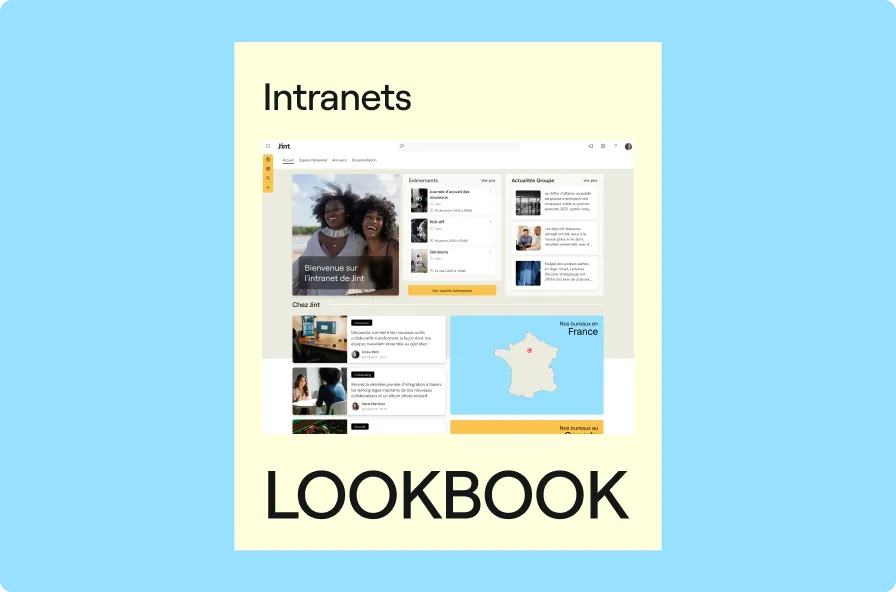
Discover our handpicked selection of the most effective SharePoint intranets in the Business Services sector — crafted to spark ideas and guide your own digital workplace strategy.