







Knowledge management tools are software that capture, organize, store and surface a company's collective knowledge so the right people can find it at the right moment. Get this right and you cut the time employees waste hunting for information; get it wrong and knowledge stays locked in inboxes, silos and people's heads. According to Deloitte, knowledge management is one of the main challenges shaping business performance, and the reason is concrete: McKinsey found knowledge workers spend around 20% of their week, nearly a full day, just searching for internal information. This guide compares 10 of the best knowledge management tools in 2026 and shows how to pick the right one.
Why knowledge management matters (and what a KM tool actually does)
Knowledge management is the practice of identifying, collecting, organizing, storing and updating the knowledge a company produces, customer data, processes, expertise, documentation, so it stays usable. A knowledge management tool is the software that systematizes this at scale. The business case is not abstract, and it plays out across six fronts.
It improves customer satisfaction and retention. Collecting and transmitting customer knowledge, through a CRM, a knowledge base or a content management system, lets teams give quick, precise and consistent answers, and lets customers self-serve documentation without contacting support. That saves time on both sides and lifts satisfaction.
It improves the employee experience and engagement. Panopto's Workplace Knowledge and Productivity report found 60% of employees struggle to access the information they need to do their job, and that friction breeds frustration and disengagement. A solid knowledge base or EDM system gives employees the resources to work smoothly, and lets them share their own expertise, which reinforces recognition and motivation.
It raises work quality and productivity. According to Panopto, employees lose an average of 5 hours per week waiting for information. Centralized, organized, up-to-date knowledge, with strong search, removes that wait. In hybrid and remote setups it matters even more: people reach reliable, current documents from any device and progress on solid data, which cuts errors.
It strengthens collaboration and collective intelligence. Content and document management make information accessible to every authorized colleague, so teams co-author, build on each other's work and innovate. Real-time co-editing (as in SharePoint) turns scattered effort into shared output.
It speeds up onboarding. New hires ramp faster when documentation, processes and answers are one search away instead of one interruption away, which frees senior colleagues and gets talent productive sooner.
It protects the company against knowledge loss. When an employee leaves, their knowledge leaves with them unless it is captured. A KM tool turns individual know-how into a shared, durable asset, and secures critical documents with controlled, confidential access.
The catch: the KM software market is crowded and the tools are not interchangeable. Some are built for internal documentation, others for customer help centers, others for cross-tool AI search. Choosing well starts with knowing what to look for.
How to choose a knowledge management tool
Before comparing brands, line up your requirements against these criteria.
- Search that actually works. The core job of a KM tool is retrieval. Look for fast, filterable search, ideally AI-powered search that understands intent and returns sourced answers, not just a list of links.
- Ease of use and adoption. A tool nobody opens is wasted budget. Favor a clean, intuitive, mobile-friendly experience, ideally one embedded in the tools your teams already use.
- Integrations. KM technology adopted inside your existing digital workspace (Microsoft 365, Teams, Slack) is used far more than a standalone silo. Check native integrations and API depth.
- Document management (EDM). Good KM software controls the full lifecycle of a document: creation, versioning, storage, updates, archiving, deletion.
- AI content assistance and governance. AI drafting and summarization are now standard, but the decisive feature is content verification: flagging stale or contradictory content so the knowledge base stays trustworthy.
- Security and compliance. Hosting, GDPR compliance, ISO 27001 certification and granular permissions protect your intellectual capital.
- Pricing vs value. Judge cost against the hours of lost work avoided, not in isolation. Watch for AI features billed as costly add-ons.
Knowledge management software vs knowledge base software
The two terms overlap but are not identical. A knowledge base is usually a structured repository of articles and documentation people search, often customer-facing (a help center) or internal (a wiki). Knowledge management software is broader: it also covers capturing, verifying, governing and connecting knowledge across the organization, including expertise that never made it into a document. In practice, most modern tools blend both, so the useful question is not the label but the primary job you need done.
How we compared these knowledge management tools
We compared each tool on six criteria: primary use case, ease of adoption, integrations, AI search, governance and security, and indicative pricing. The goal is not to crown one universal winner, but to help you pick the right tool for your stack and your knowledge strategy. Pricing is indicative and changes often, so treat the figures as a starting point and confirm with each vendor.
Comparison table: the best knowledge management tools at a glance
Prices are indicative and change often; check each vendor for current plans. Below, what each tool is genuinely best at.
Best by use case:
- Best for Microsoft 365: SharePoint + Jint for SharePoint
- Best for Atlassian teams: Confluence
- Best for internal documentation: Slite
- Best for support knowledge bases: Zendesk or Document360
- Best for Q&A in Slack: Tettra
- Best for flexible team wikis: Notion
Microsoft SharePoint
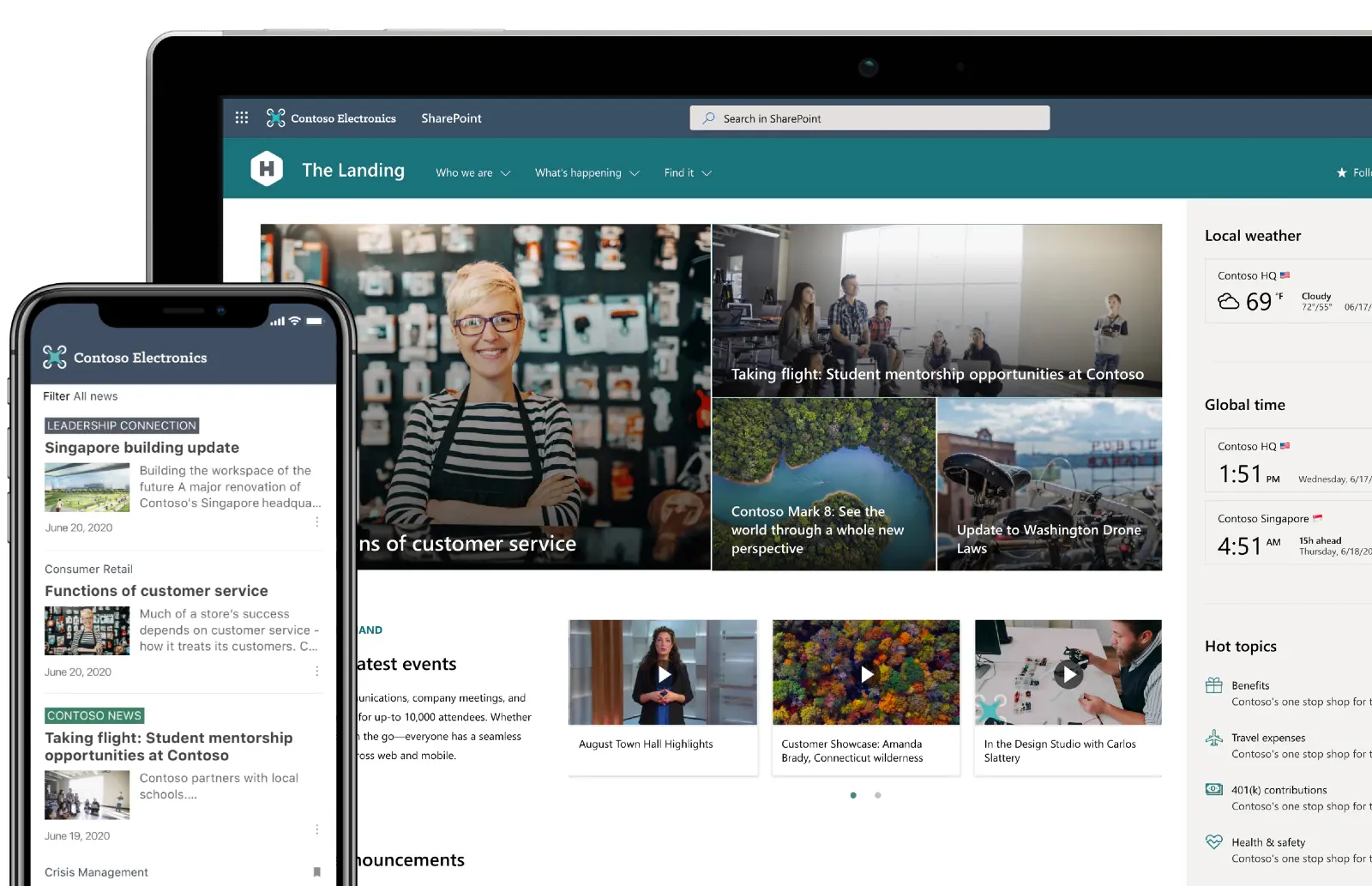
Microsoft SharePoint is a collaboration platform built to store, organize and share information securely. It creates team sites that centralize content and apps, integrates natively with the Microsoft 365 suite, and surfaces documents directly inside Microsoft Teams, with real-time co-authoring on Word, Excel and PowerPoint. For organizations already on Microsoft 365, it is the natural KM foundation, no extra silo, no extra vendor. Its limit: raw SharePoint needs structure and design work to become a KM experience employees actually enjoy, which is exactly the gap Jint fills.
Key features: document libraries with versioning and permissions, team and communication sites, native Microsoft 365 and Teams integration, real-time co-authoring, and enterprise-grade security and compliance.
Best for: companies standardized on Microsoft 365 that want KM where their work already lives.
Jint for SharePoint
.webp)
Jint for SharePoint is a SharePoint Online extension that turns SharePoint into a unified, well-designed knowledge management hub. It adds wiki creation, contribution assistance, electronic document management (EDM) and an advanced, customizable, no-code search center with filters and search verticals. Because it is native to Microsoft 365, knowledge stays governed, secure and in place, and it becomes a clean base for AI assistants. Want to turn SharePoint into a knowledge management hub without adding another silo? Book a Jint demo.
Key features: no-code customizable search center with filters and verticals, wiki and contribution assistance with reusable templates, electronic document management, audience-targeted publishing, and full inheritance of Microsoft 365 security.
Best for: Microsoft 365 organizations that want SharePoint's reach with a modern KM experience on top.
Confluence
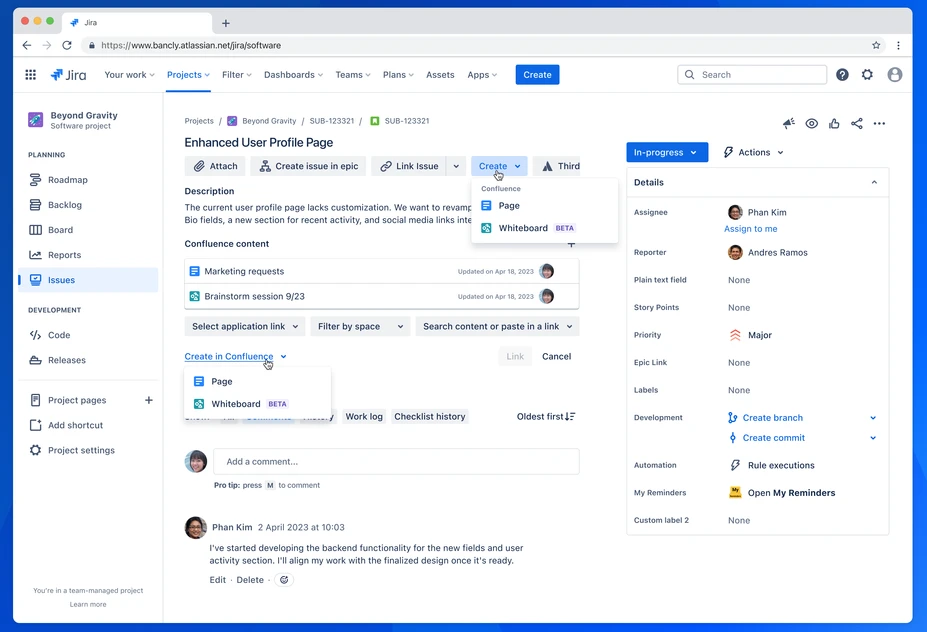
Confluence, by Atlassian, is a mature knowledge platform favored by enterprises with complex collaboration needs. Its strength is bi-directional integration with Jira, so requirements and documentation live next to the tickets they describe, plus spaces, page trees, granular permissions and a deep template library. Its well-documented weakness is adoption: the editor feels dated and page sprawl grows without active governance.
Key features: bi-directional Jira linking, spaces and nested page trees, granular space- and page-level permissions, a large template library, and Atlassian Intelligence for AI writing and summaries.
Best for: organizations already deep in the Atlassian ecosystem.
Notion
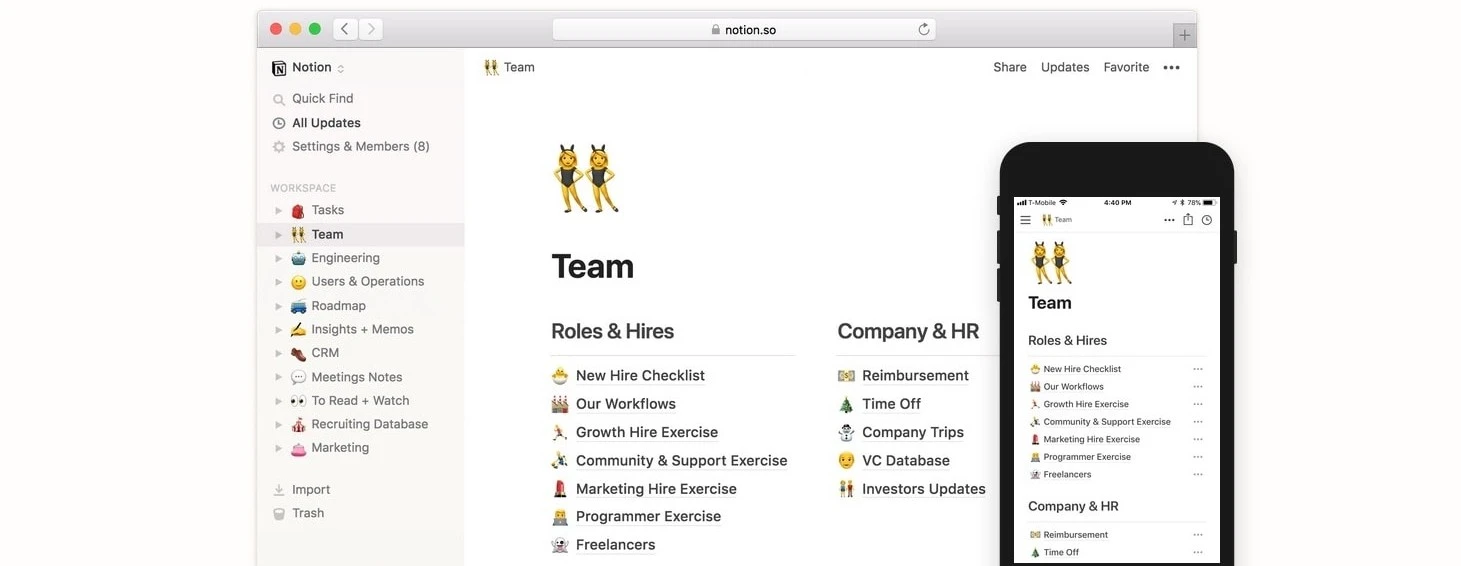
Notion is a flexible, all-in-one workspace that blends documents, wikis, databases and light project management. Its block-and-database model lets teams shape it to almost any need, and adoption is fast because so many people already know it. The trade-off shows at scale: without a dedicated admin maintaining structure and archiving stale content, a Notion wiki can drift into an information graveyard.
Key features: flexible pages and blocks, relational databases with table, board, calendar and gallery views, real-time collaboration, hundreds of integrations, and Notion AI as a paid add-on.
Best for: small and mid-size teams that value flexibility and will maintain their own structure.
Slite
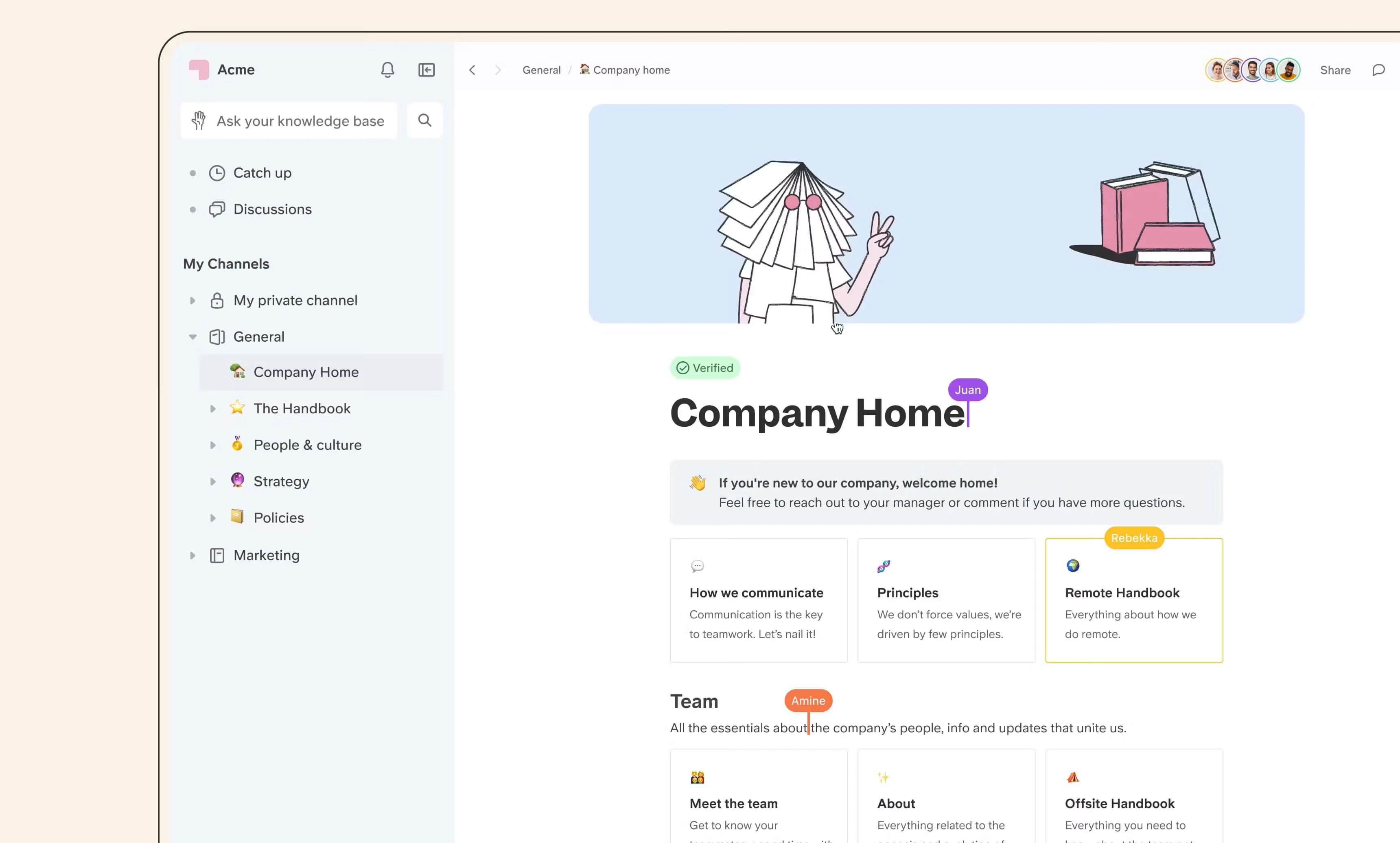
Slite is a knowledge base built specifically for internal documentation rather than an all-in-one suite. Its Ask feature returns AI-generated answers sourced from your existing docs, and it flags outdated content automatically. It emphasizes editorial simplicity with ready-made templates for SOPs and onboarding.
Key features: Ask AI assistant with sourced answers, automatic stale-content detection, quick import from Google Drive, Notion and Confluence, 50+ integrations, and an optional cross-tool search companion.
Best for: teams that want clean, maintainable documentation without the complexity of a multipurpose tool.
Guru
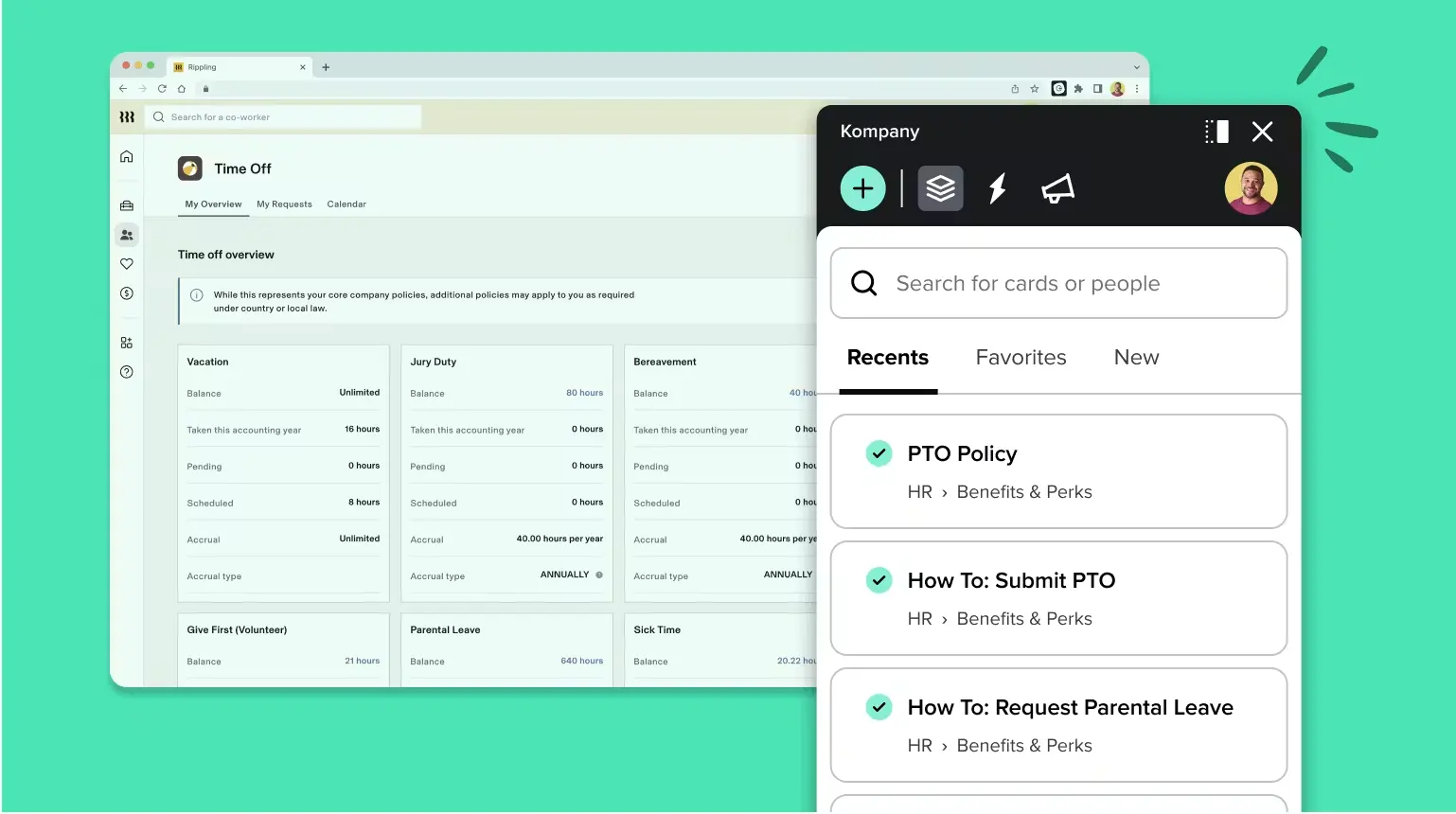
Guru delivers verified knowledge into the flow of work, surfacing answers inside the browser, Slack or your help desk rather than making people go find them. Its verification workflow keeps cards current by assigning owners and review cycles, which helps fight the trust problem most knowledge bases eventually hit.
Key features: browser extension and Slack/help-desk integrations, verification workflows with owners and review dates, AI answers in the flow of work, and duplicate-detection to reduce content sprawl.
Best for: teams that want answers pushed to them where they already work.
Document360
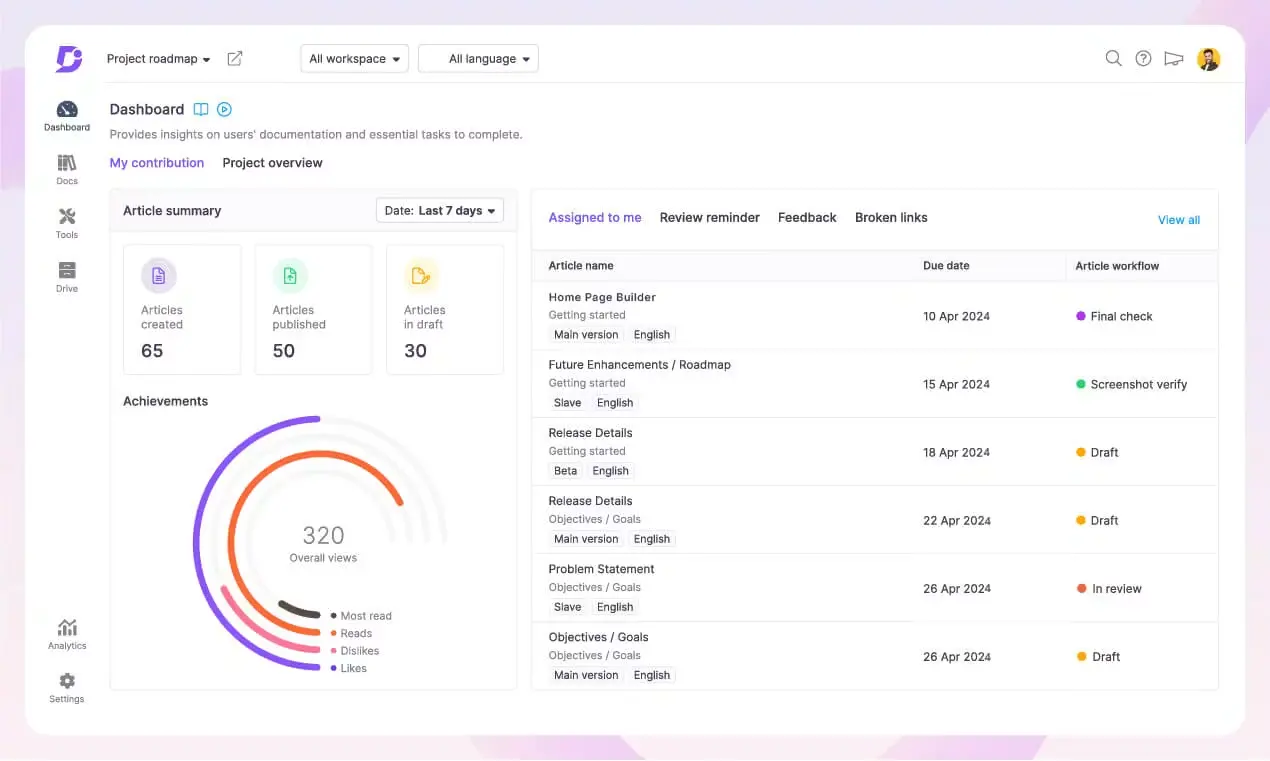
Document360 is dedicated knowledge base software for building both public and private knowledge bases, with a strong content organization model, version control and an AI assistant (Ask Eddy) that answers complex questions. It leans toward customer-facing use cases and can be pricey for very small teams.
Key features: public and private knowledge bases, category manager, version control with rollback, Ask Eddy AI assistant, and analytics on searches and content gaps.
Best for: organizations that prioritize customer-facing knowledge bases.
Bloomfire
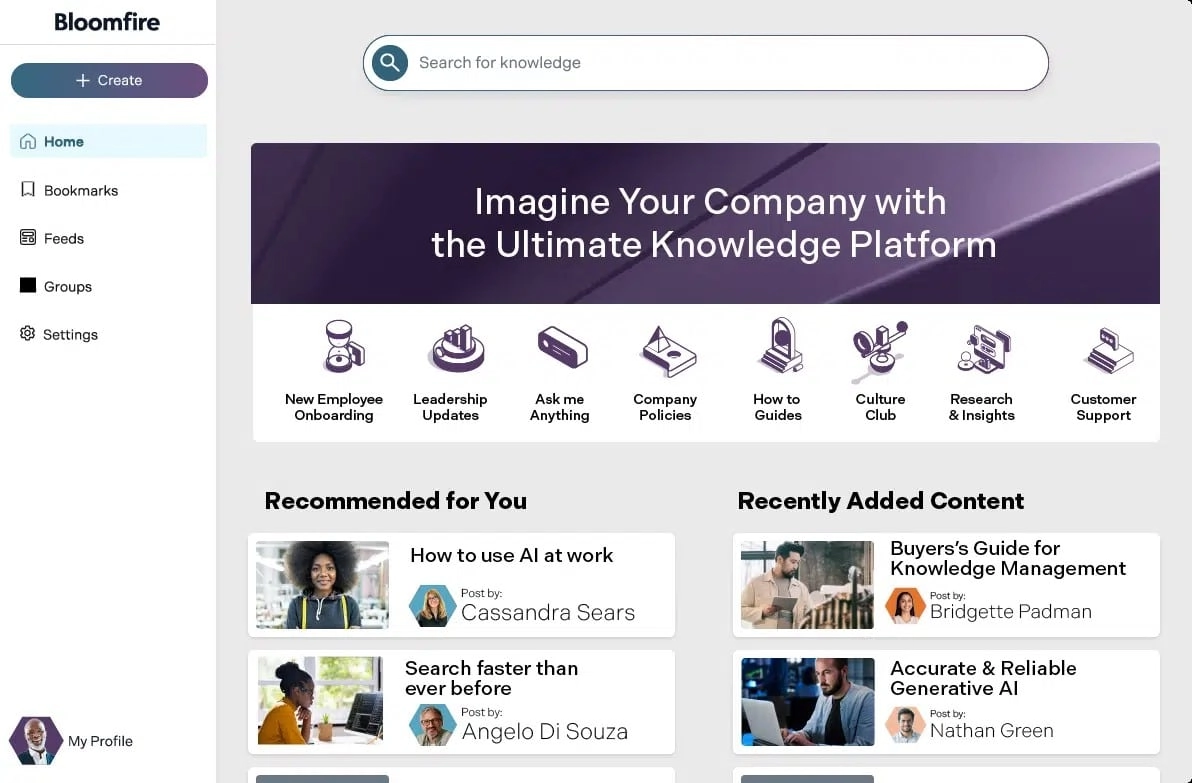
Bloomfire is an AI knowledge management platform built for larger teams working with mixed content (video, audio, PDFs). It stands out for automated deep indexing across file types, content-reliability checks that flag outdated material, and an analytics suite tied to business impact. Its power comes with a steeper learning curve and enterprise pricing.
Key features: automated deep indexing across file types (including audio and video), conversational AI with cited answers, content-reliability checks, a Q&A knowledge engine, and an advanced analytics suite.
Best for: large teams with diverse content formats and analytics needs.
Zendesk
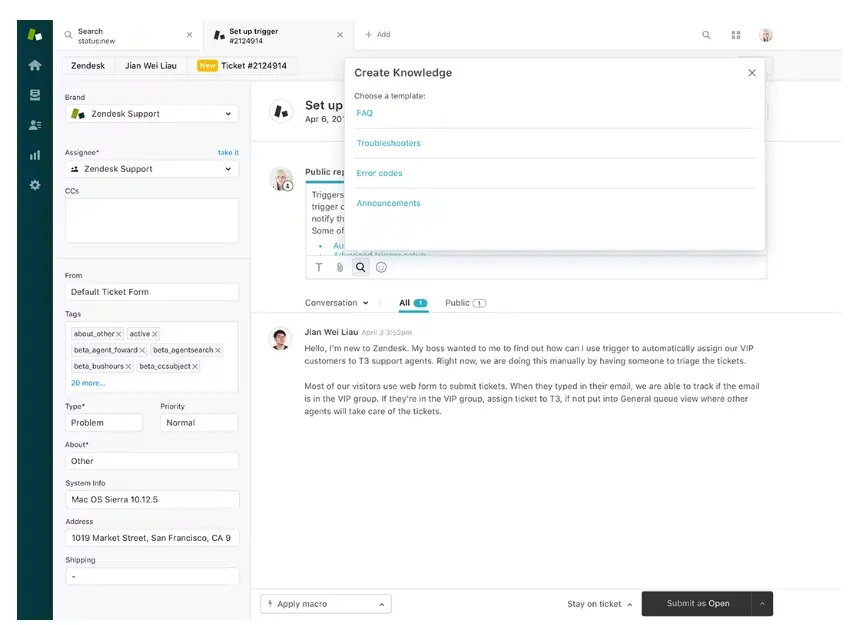
Zendesk offers a knowledge base as part of its customer support suite, with AI-powered search, help-center publishing, automation and support for 40+ languages. It scales well for large support organizations but carries a learning curve and a higher price for advanced features.
Key features: internal and customer help centers, AI-powered search and agents, automation and no-code workflows, 40+ language support, and analytics dashboards across channels.
Best for: growing customer support teams that need a scalable, multilingual help center.
Tettra

Tettra is an AI-driven internal knowledge base with a question-and-answer workflow: its Kai assistant answers questions in Tettra or Slack and routes unanswered ones to the right expert, turning recurring questions into reusable knowledge. Content verification keeps pages current. It is budget-friendly but limited in scale and advanced analytics.
Key features: Kai AI bot answering in Tettra or Slack, Q&A workflow that turns questions into reusable pages, scheduled content verification, and semantic search with AI tagging.
Best for: small and mid-size businesses that live in Slack and want a Q&A-driven KB.
Which knowledge management tool should you choose?
There is no single best tool, only the best fit for your primary use case. If your knowledge lives in Microsoft 365, keeping it there, on SharePoint extended by Jint, avoids adding yet another silo and keeps governance and security native. If you are all-in on Atlassian, Confluence is the pragmatic choice. For focused internal documentation, Slite or Guru shine; for customer-facing help centers, Document360 or Zendesk; for flexible all-in-one work, Notion. Start from the question, not the brand: internal docs, customer support, or cross-tool search?
Knowledge management and AI: why the foundation comes first
The 2026 shift is that knowledge management is now the fuel for AI. Microsoft Copilot and assistants like Jint Genius are only as good as the knowledge they can reach. Point an AI assistant at scattered, outdated, ungoverned content and it will confidently return the wrong answer. Point it at a structured, up-to-date, permission-aware knowledge base and it answers accurately, with sources. That is why the order matters: a clean knowledge base is not a nice-to-have alongside AI, it is the precondition for AI to be trustworthy. Organizations that treat KM as the foundation, rather than a Copilot afterthought, are the ones whose AI actually works.
Key takeaways
Knowledge management is a competitiveness lever, not a filing exercise. The best knowledge management tools all share the same fundamentals: powerful (ideally AI-powered) search, an easy-to-adopt experience, deep integrations, document management, content verification, security and fair pricing. Match those to your primary use case and your existing stack. For Microsoft 365 organizations, keeping knowledge native, on SharePoint extended by Jint, is the lowest-friction path to a KM hub that people use and that AI can rely on. Request a demo to see how Jint turns SharePoint into a real knowledge management center.
.jpg)


.webp)

.jpeg)


