






🧠 TL;DR: intranet vs extranet
- An extranet is a private network that extends access to your information to people outside the company: partners, suppliers, clients.
- An intranet stays limited to employees. The difference is about audience and access rights, not technology.
- On Microsoft 365, you don't need a separate tool: SharePoint and Microsoft Entra let you build a governed extranet on top of your existing intranet.
- Third-party involvement in confirmed data breaches doubled to 30% in 2025, according to Verizon. Governing external access isn't a footnote.
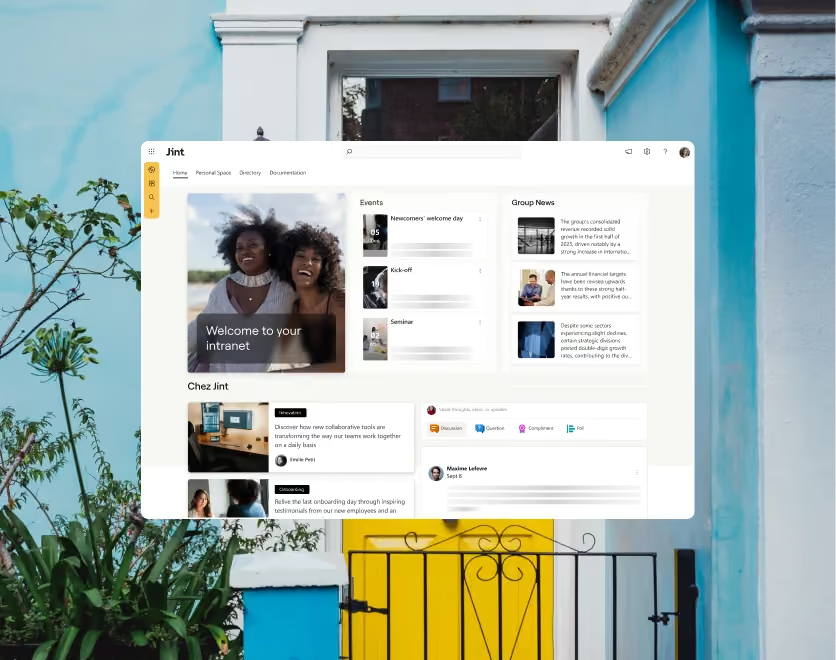
- Jint SharePoint structures that extranet natively on your SharePoint intranet. See Jint SharePoint.
Internet, intranet, extranet: three networks, three audiences
An extranet is a private network that gives people outside your company, partners, suppliers, or clients, controlled access to part of your information. Unlike an intranet, which stays limited to employees, an extranet opens a door to the outside world, but one that stays closed to the rest of the internet.
These three networks differ by audience, not by technology. The internet is open to anyone, no login required. An intranet is closed to everyone except your own employees. An extranet sits in between: authenticated access, extended to a chosen set of outsiders, on a defined scope. For a closer look at how an intranet works (identity, permissions, audience targeting), see our pillar guide.
That simple distinction hides a real governance question: who gets to see what, and for how long. That's where most extranet projects get complicated, far more than the choice of tool itself.
Why a company sets up an extranet
An extranet answers a specific need: letting people outside the company work on internal documents or processes, without handing them access to the whole intranet. In practice, it shows up in a handful of recurring situations.
- Partners and suppliers. Sharing specs, tracking orders, approving deliverables, instead of trading files by email.
- Enterprise clients. A dedicated portal to follow a project's progress, review invoices, or check contracts.
- Boards of directors. Restricted access to financial or strategic documents, kept apart from the rest of the intranet.
- Franchises and distribution networks. Access to shared sales material and documentation, without being part of the organization.
- Consultants and temporary contractors. Time-bound access, revoked automatically once the engagement ends.
What all these cases have in common: the need isn't a new website, it's a precise access, on a precise scope, for precise people. It's a permissions problem before it's a tooling problem. Companies that skip that step tend to solve it the wrong way, by emailing spreadsheets and PDFs back and forth, or by handing out a shared login that everyone on the other side ends up using. Both work until something sensitive leaks through the cracks.
Intranet vs extranet: what actually changes
The difference between an intranet and an extranet goes deeper than audience. It's mostly about how access gets managed. On an intranet, accounts belong to the company: created, managed, and removed by IT through a standard HR lifecycle. On an extranet, accounts belong to outside organizations, which changes the whole mechanic.
Microsoft actually distinguishes two external sharing models in SharePoint and OneDrive: one-off file sharing with no account created, and Microsoft Entra B2B integration, which always creates a guest account and applies the organization's security policies to that external user. That second model is what makes an extranet an extranet: outsiders are identified, tracked, and held to the same authentication rules as your employees.
Another structural difference, documented in Microsoft's guide to external sharing in SharePoint and OneDrive (updated May 2026): sharing is owner-approved, never open by default, and a guest can't see or search content outside the scope they were explicitly granted. A poorly scoped intranet exposes everything to everyone internally. A poorly scoped extranet exposes your information outside the company, which changes the risk entirely.
Build your extranet on Microsoft 365, not on top of a new tool
Most extranet guides, including ones written by independent intranet vendors, present the extranet as a separate product to add to your existing stack. At Jint, we argue the opposite: if your intranet already runs on Microsoft 365, the extranet isn't a new tool. It's a governed extension of what you already have.
Microsoft formalized this approach in its official guide to using SharePoint as a B2B extranet solution (updated May 2026): external partners connect directly to SharePoint Online or a shared Teams channel, with no extra infrastructure and no firewall access required for guests. Three building blocks carry the security of that model: Microsoft Entra External ID to manage guest identities, security groups to map roles instead of granting access one person at a time, and multifactor authentication applied to external accounts at the same level as internal ones.
The real work in a native M365 extranet isn't building a portal. It's designing the access model: which groups, which sites, for how long. Once that model is set, the extranet becomes a permissions layer on your intranet, not a separate project to maintain. That also means it inherits your intranet's roadmap for free: new features, new integrations, and security updates land on the extranet the same day they land on the rest of Microsoft 365, with no separate upgrade cycle to plan for.
Native Microsoft 365 extranet vs a dedicated extranet tool
A dedicated extranet tool has one real merit: a guest experience built for outsiders, sometimes easier to navigate than a poorly configured SharePoint space. That convenience has a cost that's often underestimated at decision time.
A dedicated tool earns its place when the extranet is the product itself, a public client portal, for instance. For standard B2B use, partners, suppliers, board members, adding another tool usually means duplicating what Microsoft 365 already does, with less consistent guest identity and one more system to secure.
Security and governance: what to watch
An extranet touches the most sensitive material a company sends outside its walls: contracts, financial data, product files. According to the 2025 Verizon Data Breach Investigations Report (April 2025), third-party involvement in confirmed data breaches doubled to 30% over the year. That's not a coincidence: the more poorly scoped external access an organization piles up, the bigger its attack surface gets.
Three habits cut that risk down. First, isolate your most sensitive content on sites where external sharing stays off by default, rather than relying on everyone's judgment. Second, require site-owner approval before any invitation goes out, so no external access is created without a review. Third, treat a partner's departure as a real offboarding process: revoke the guest account, don't just archive a shared folder.
These principles build directly on what we cover in our guide to intranet security best practices: a poorly governed extranet is never anything more than a poorly governed intranet, with a wider audience and bigger consequences when something goes wrong.
How Jint structures your extranet on SharePoint
Building an extranet doesn't mean starting from scratch. With Jint SharePoint, external user access runs on the same structure as your internal intranet: the same security groups, the same design, the same navigation logic, but a strictly scoped content area for guests.
In practice, that means partner or client spaces that inherit your intranet's design and usability with no custom development, and access governance centralized alongside the rest of your Microsoft 365 security posture. You're not running two systems in parallel: one intranet, with a governed extranet layer on top.
That logic connects to our enterprise intranet features: a well-designed extranet is never a standalone project, it's one more module inside a structured intranet, on par with search or the HR hub.
An extranet is a governance project, not a new tool
Confusing an extranet with an intranet gets expensive: an intranet accidentally opened to the outside exposes internal data, an extranet that's too locked down frustrates your partners and slows collaboration down. The real question isn't "which tool should we buy," it's "who should see what, and for how long."
On a well-structured Microsoft 365 intranet, the answer comes down to one more layer of permissions, not a new project. That's what separates an extranet people actually use from one more underused portal sitting in the company's tool list. To see how other organizations structure theirs, browse our corporate intranet examples.
Ready to open your intranet to your partners securely? Request a Jint demo.
.webp)


